Choosing the Anthropic Claude subscription in Kari
Copyright © 2026GotoAI Inc.Based on the goose project
Sign in to Kari with an Anthropic Claude Pro or Max subscription and you can put the AI agent to work without an API key.
How this relates to Anthropic's policy
The way Kari uses a Claude subscription is built to follow the terms Anthropic sets. In short:
- Kari runs Anthropic's official Claude Code agent as it is. Kari does not bundle Claude Code; the first time you use it, Kari downloads the official package published by Anthropic, unmodified. The binary is not altered and the authentication method is not restricted.
- Sign-in completes on Anthropic's own pages. What opens in the browser is Anthropic's authentication page. Kari neither receives nor stores nor relays your account credentials or tokens. To check whether you are signed in, Kari asks Claude Code.
- Usage counts against your own plan. Kari does not buy, resell, or broker Claude usage on your behalf. Use is governed by your own contract with Anthropic, and the Pro / Max limits are the same ones shared with the Claude app and Claude Code.
- Chat runs on Claude Code's own agent. Kari's built-in agent never uses subscription credentials to connect to Anthropic. That is why Use the Claude Code agent stays on in settings.
Anthropic does not permit third-party applications to offer login with a Claude account, or to relay requests through Pro / Max credentials. It does permit a platform to offer Claude Code unmodified and let users sign in there with their own subscription. Kari takes the latter approach. For details, see Anthropic's Claude Code: Legal and compliance.
The terms and usage limits for a Claude subscription are set by Anthropic and may change without notice. Depending on the change, using your subscription from Kari may become restricted, the available models or limits may change, or usage may be billed differently. These are Anthropic's decisions: we cannot anticipate them, and we cannot guarantee continued availability.
Kari also works with an API key. If subscription use stops being available to you, you can switch to an API key in settings.
- On the Configure your AI Provider screen, click the Anthropic Claude Subscription (Pro / Max) button.

Screenshot shown in the original Japanese.
- When the Anthropic Claude subscription sign-in screen appears, click the Sign in… button.
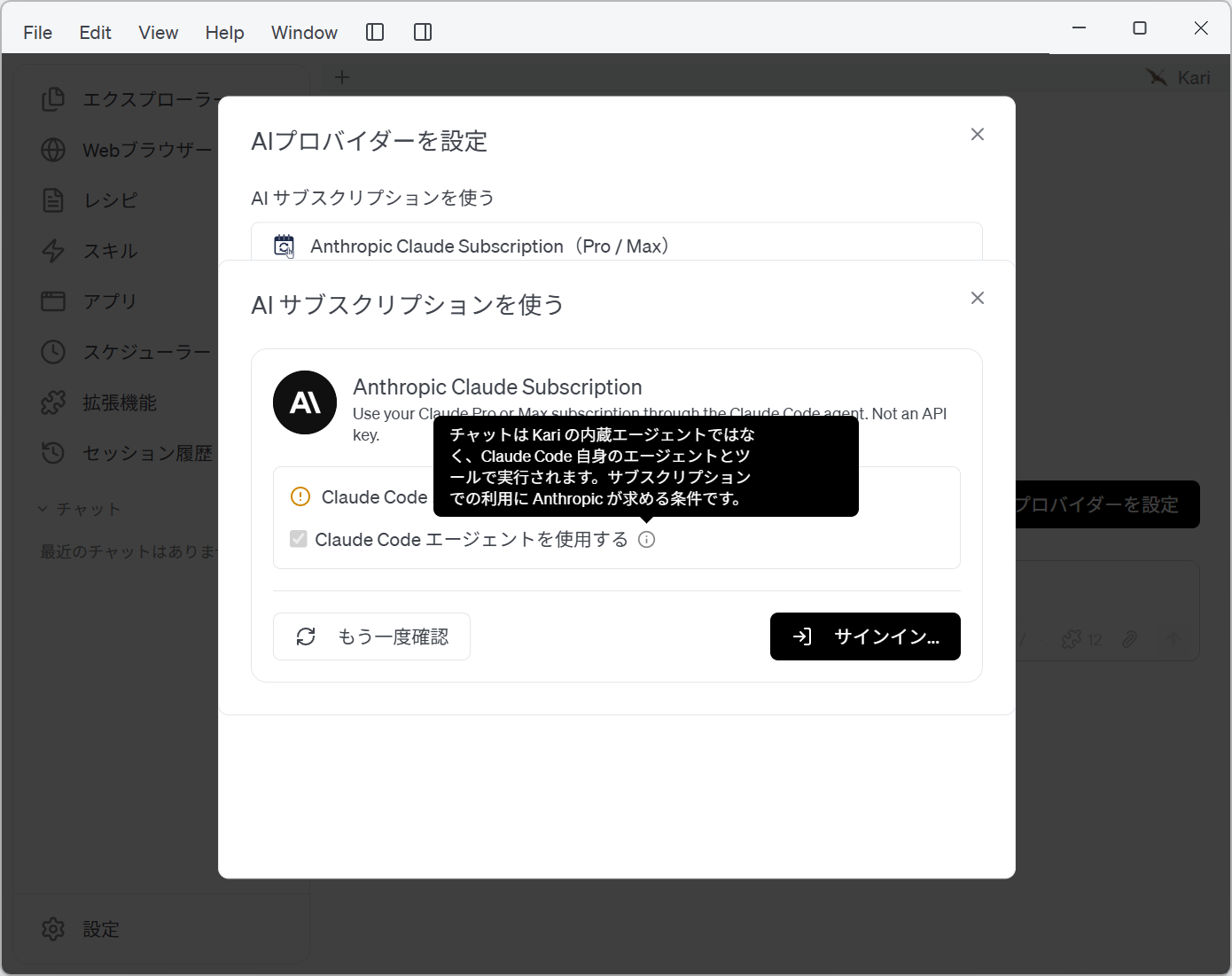
Screenshot shown in the original Japanese.
- The first time, Kari downloads and installs Anthropic's official library so the Claude AI agent can run. Click Continue.
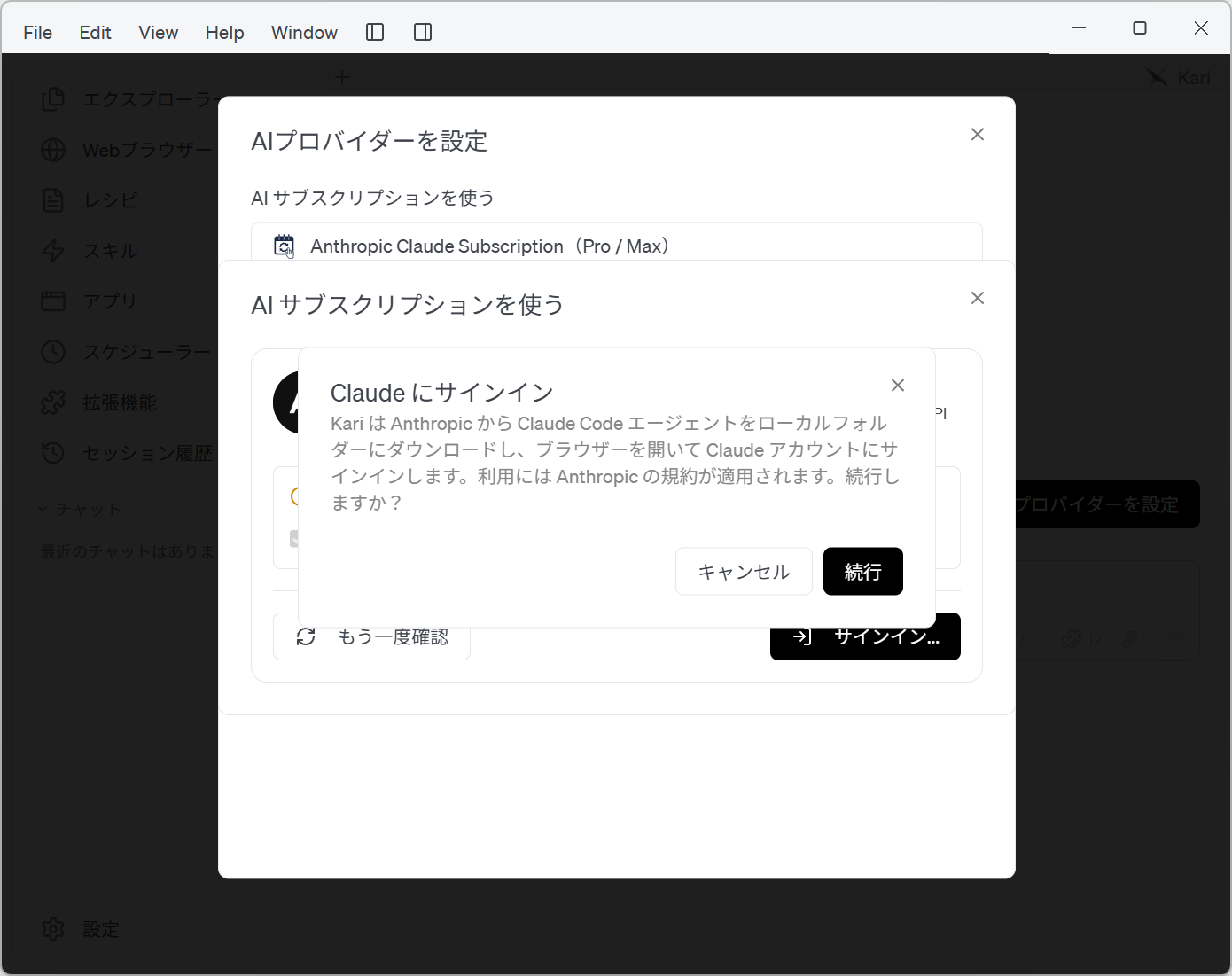
Screenshot shown in the original Japanese.
- The download and installation of Anthropic's official library begins.
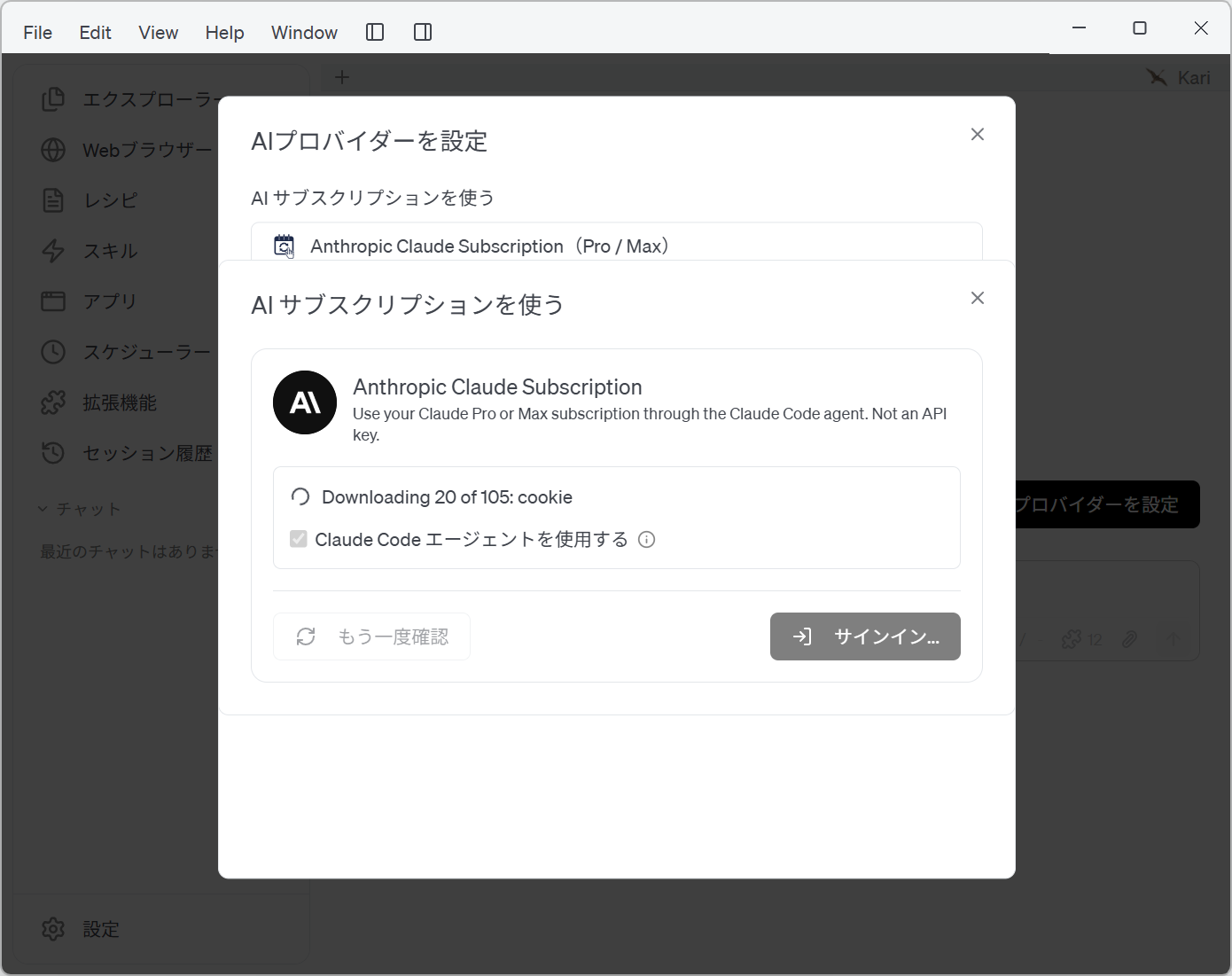
Screenshot shown in the original Japanese.
- Once the official library is installed, Kari checks your sign-in status automatically. If you are already signed in on this device, your account and subscription details are shown.
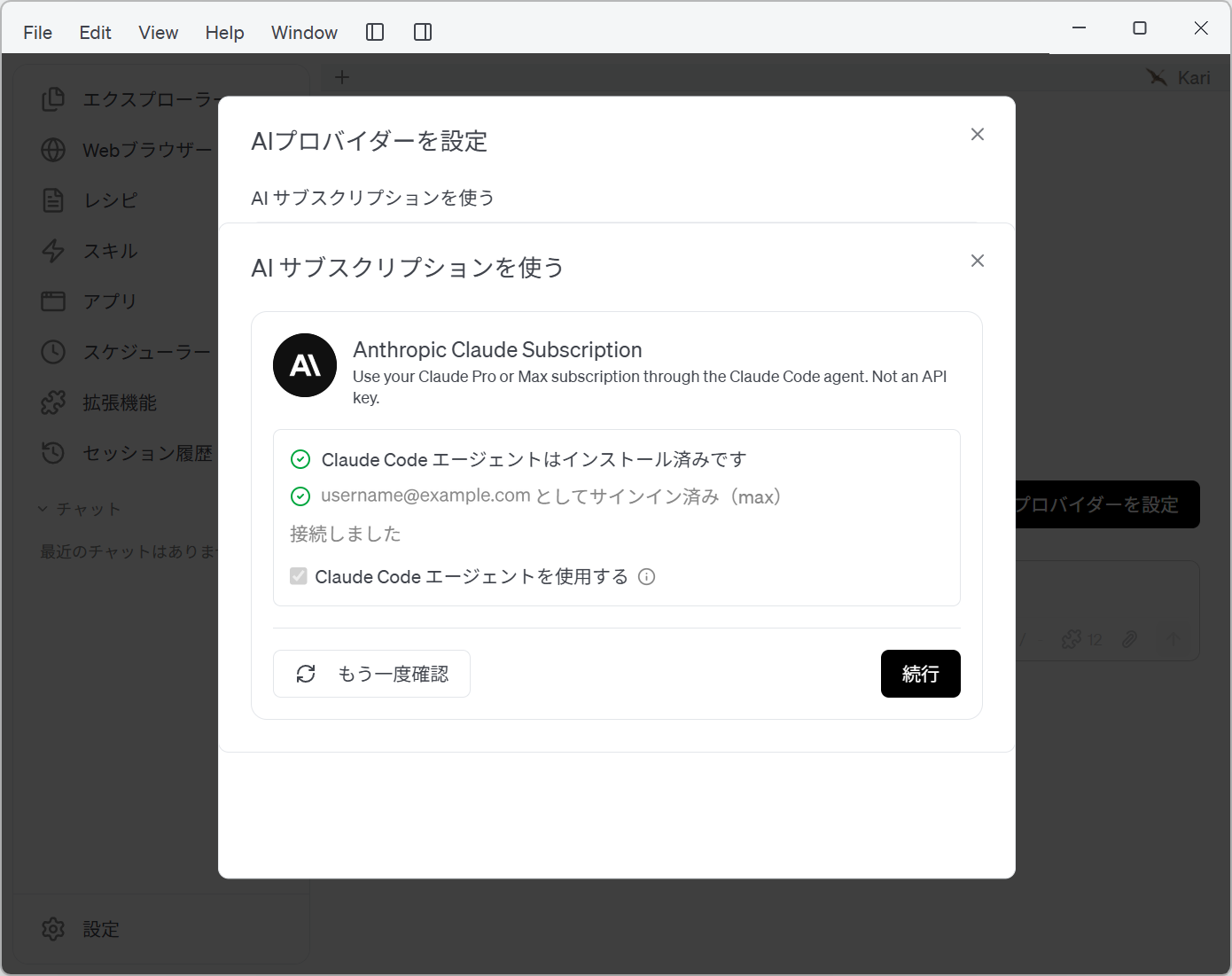
Screenshot shown in the original Japanese.
- If you are not signed in yet, the Claude sign-in page opens in your web browser so that you can sign in.
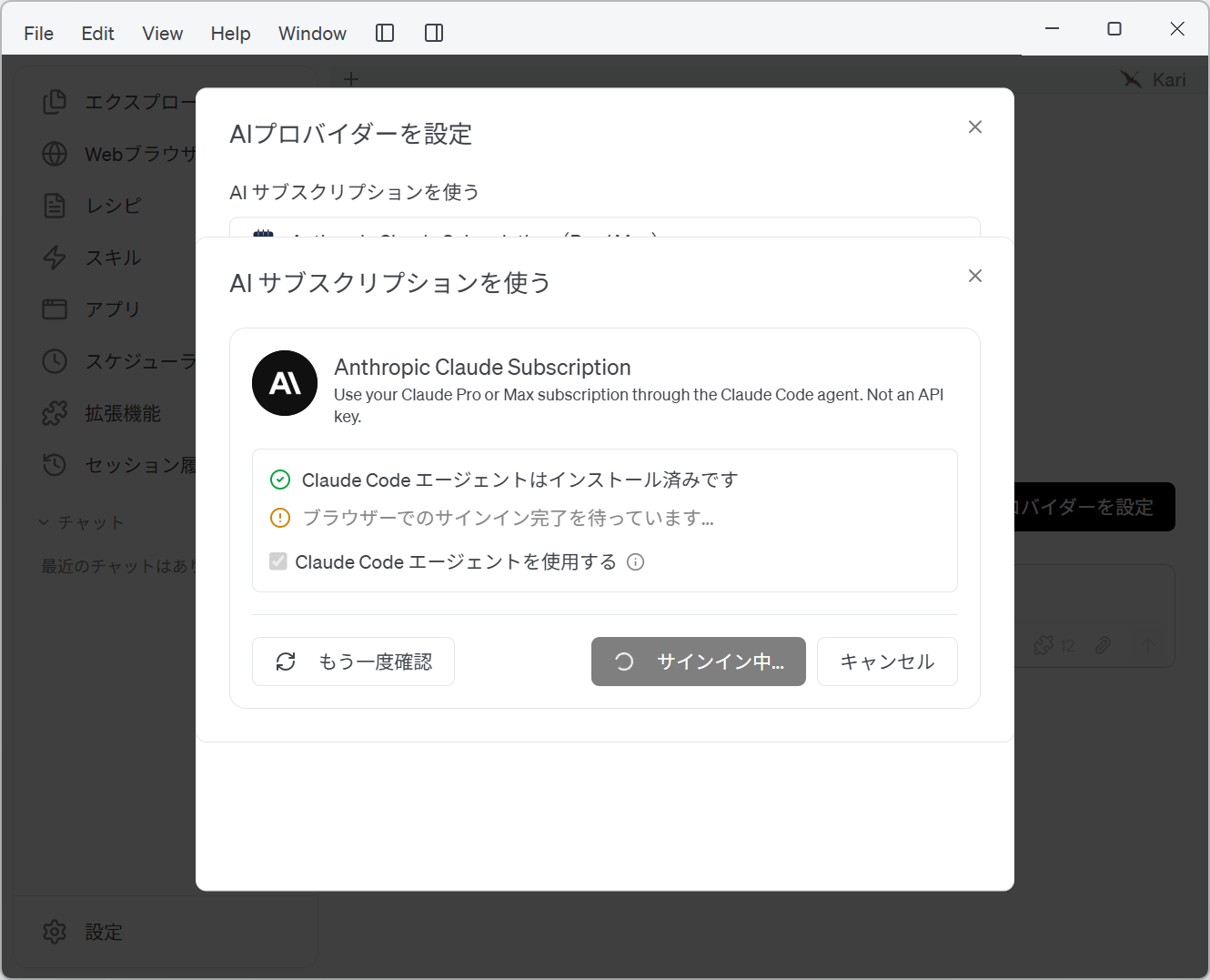
Screenshot shown in the original Japanese.
- (1) Enter your subscription account on the browser's sign-in page.
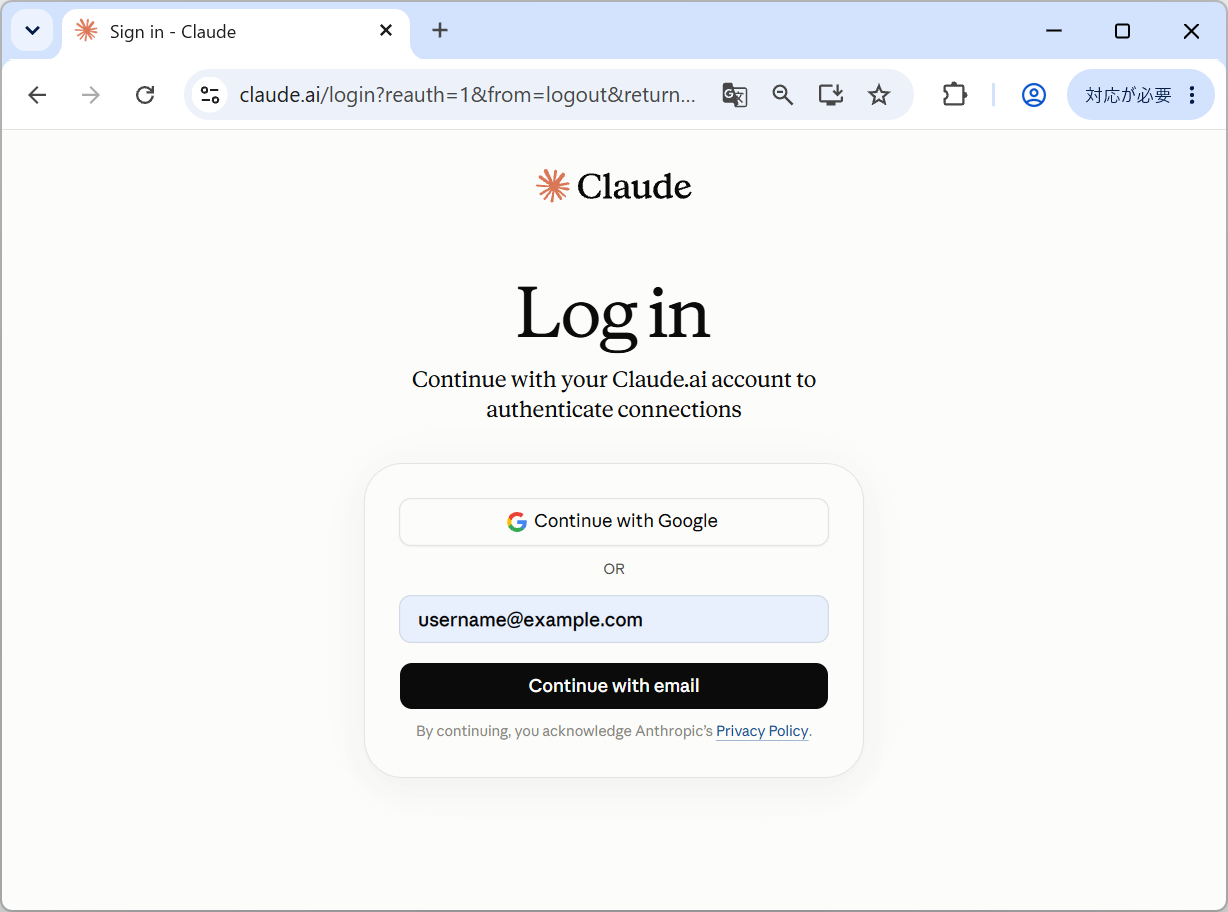
Screenshot shown in the original Japanese.
- (2) Claude emails you a verification code. Enter the code you receive to authenticate.
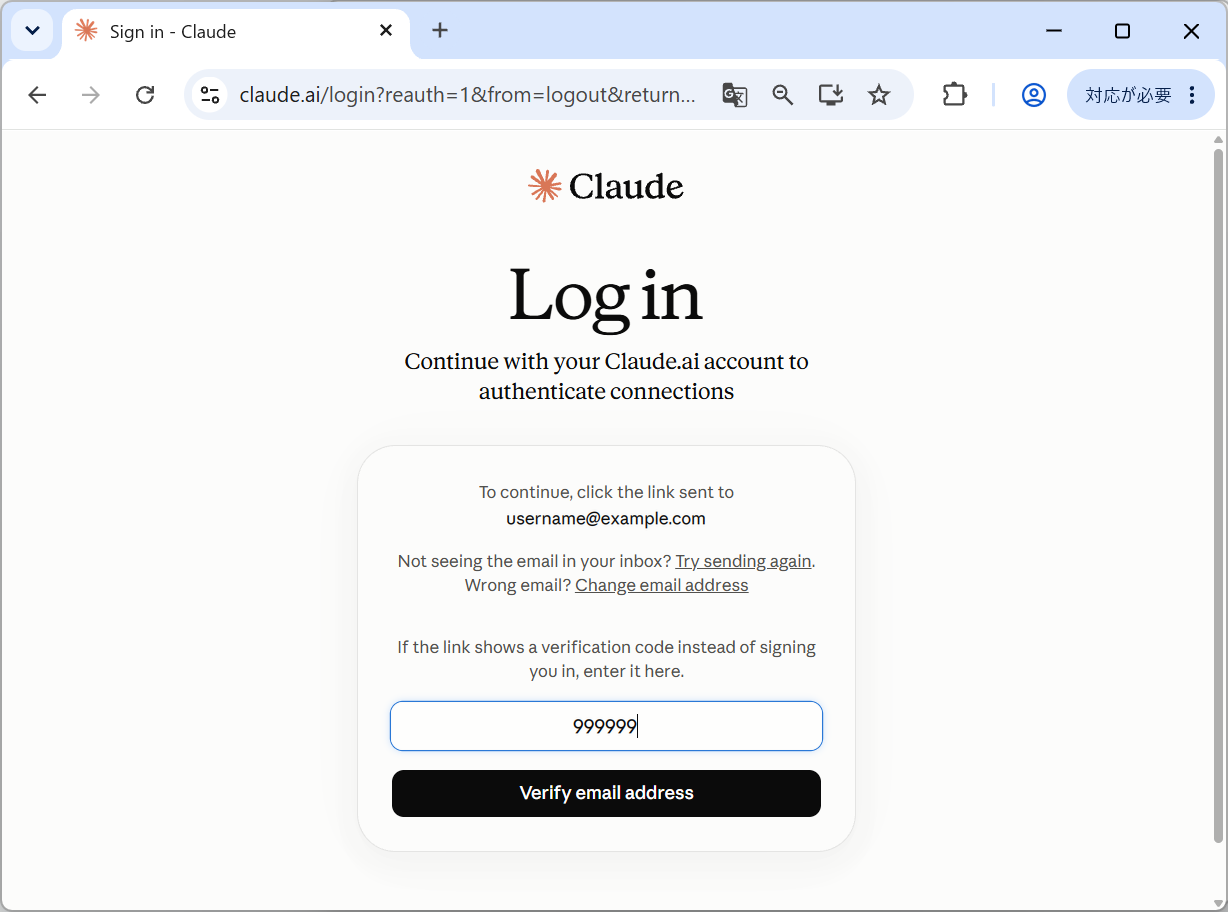
Screenshot shown in the original Japanese.
- (3) Review the authorization screen in the browser and click the button to grant access.
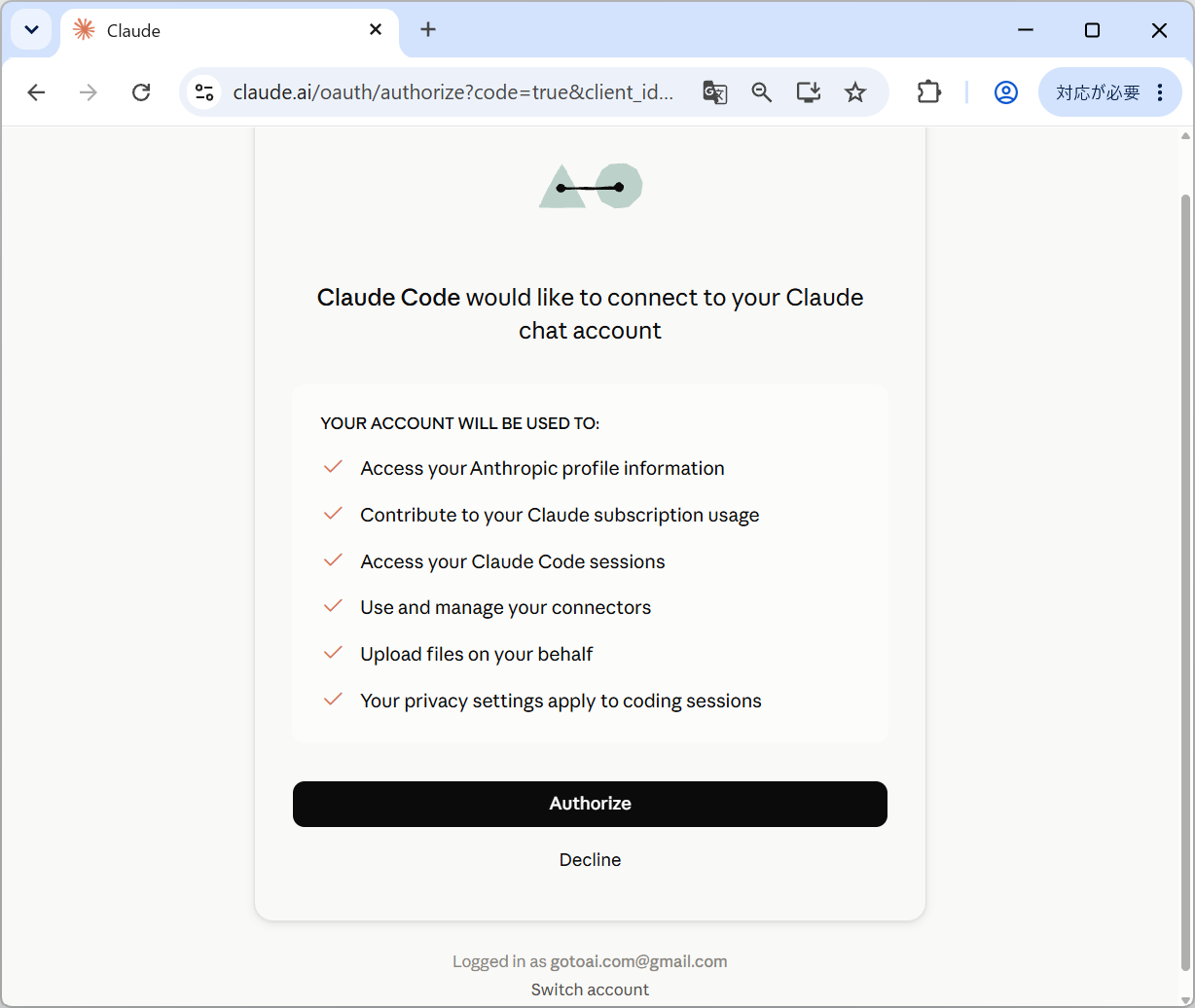
Screenshot shown in the original Japanese.
- (4) When the browser sign-in completes successfully, Kari shows the signed-in account and its subscription details.
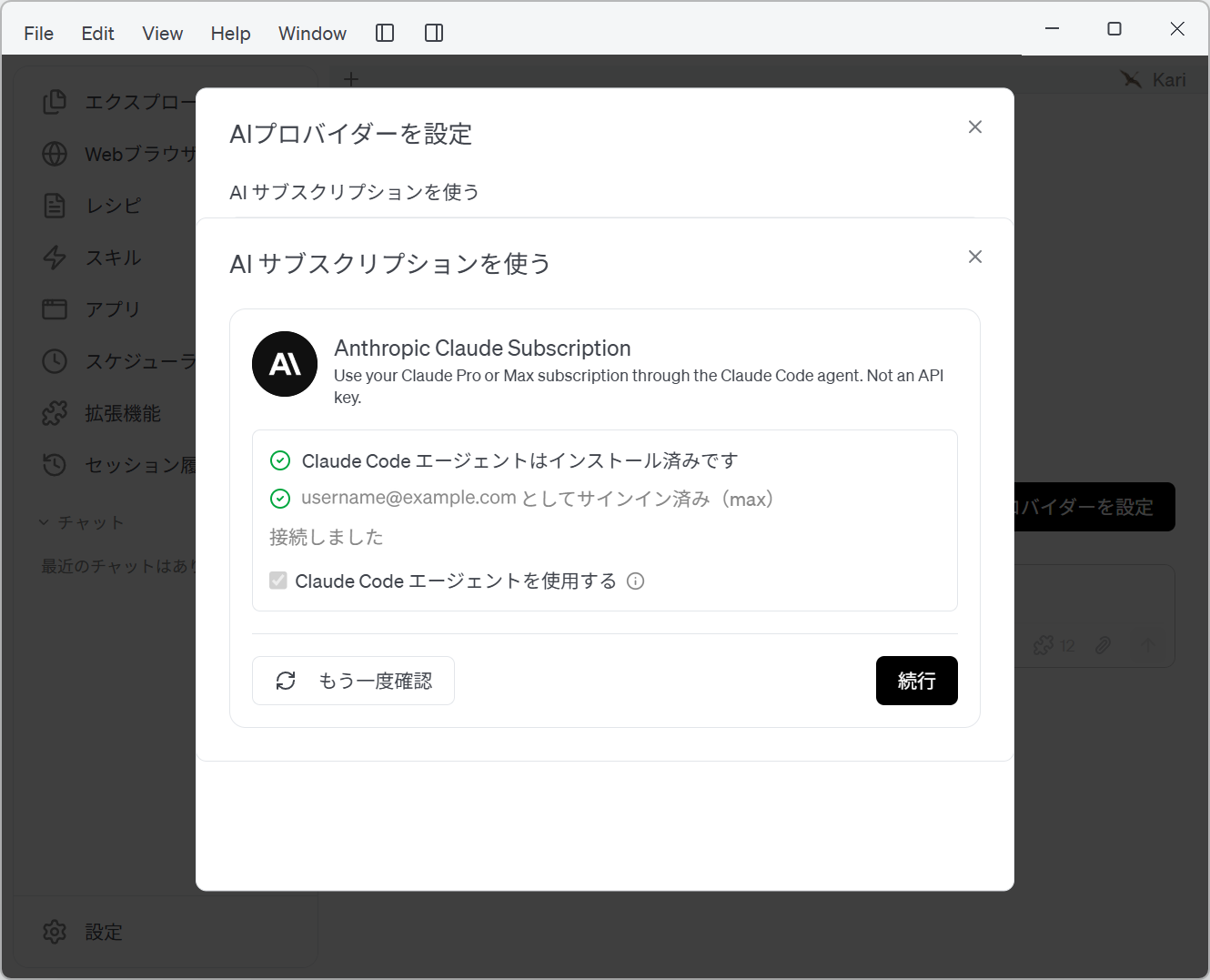
Screenshot shown in the original Japanese.
- With the Anthropic Claude Subscription selected, create a new AI chat session. At the bottom of the session window, click the model icon to the lower left of the input box and the Change model menu appears.
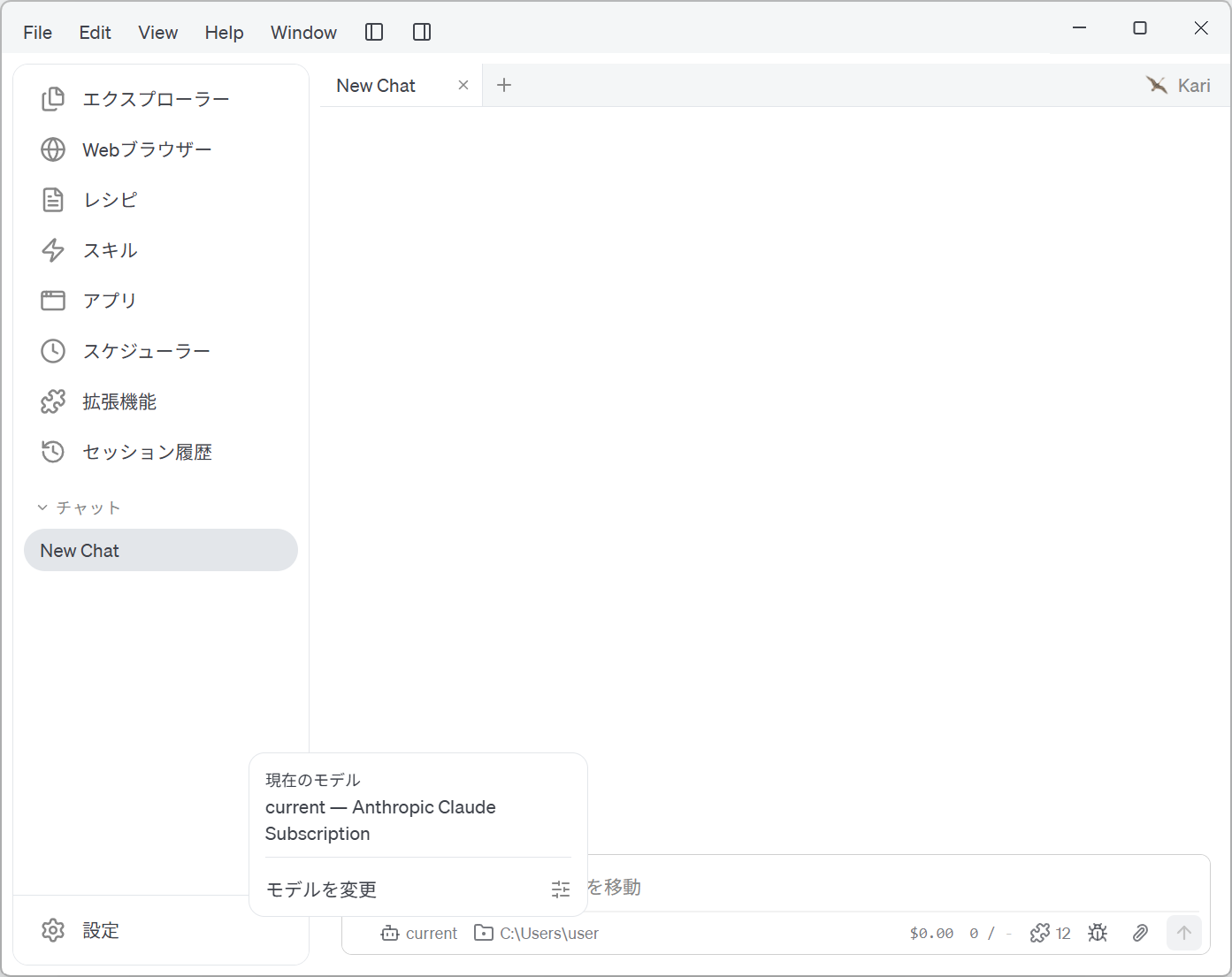
Screenshot shown in the original Japanese.
- Select the model you want to use.
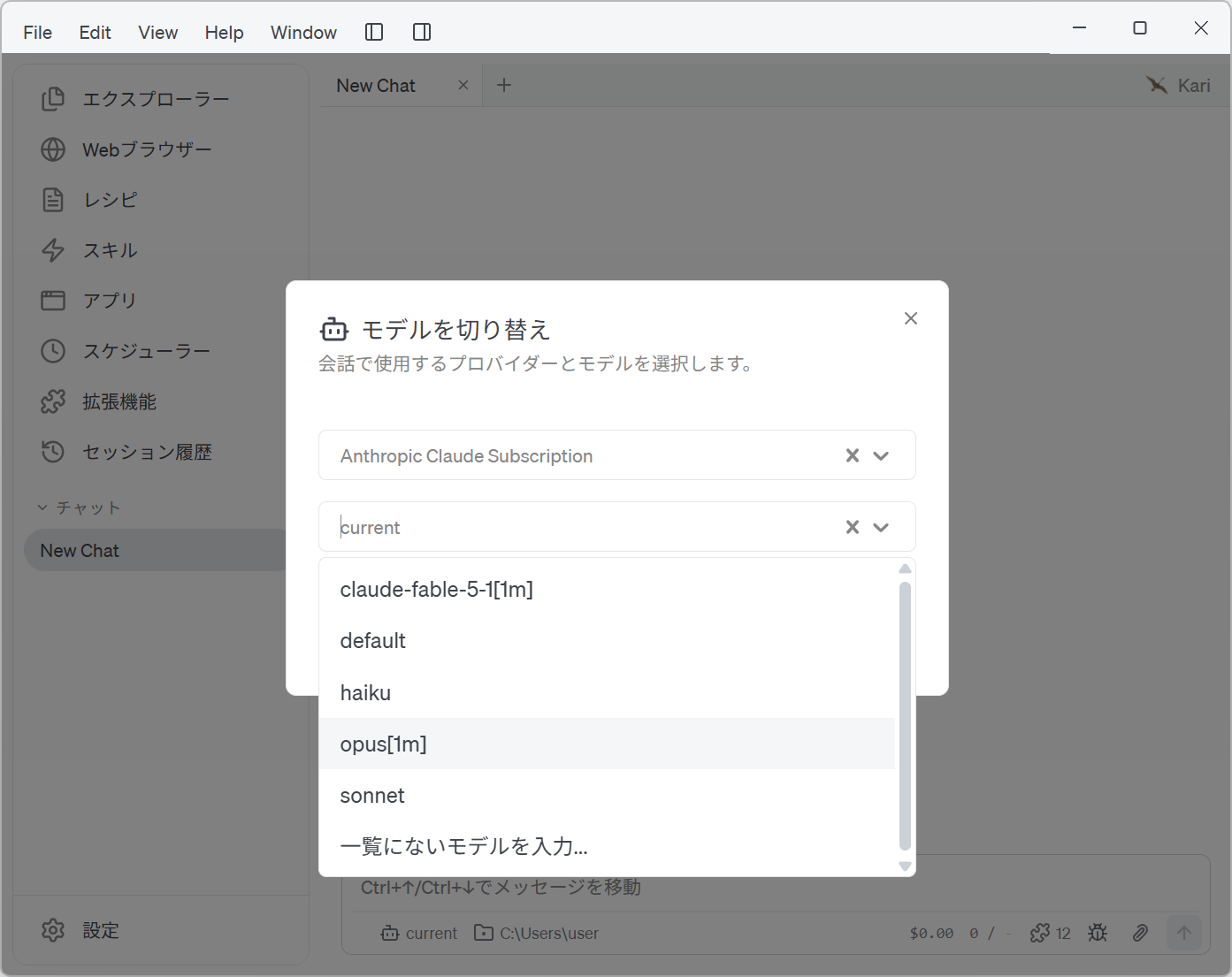
Screenshot shown in the original Japanese.
- Start working in the chat session.
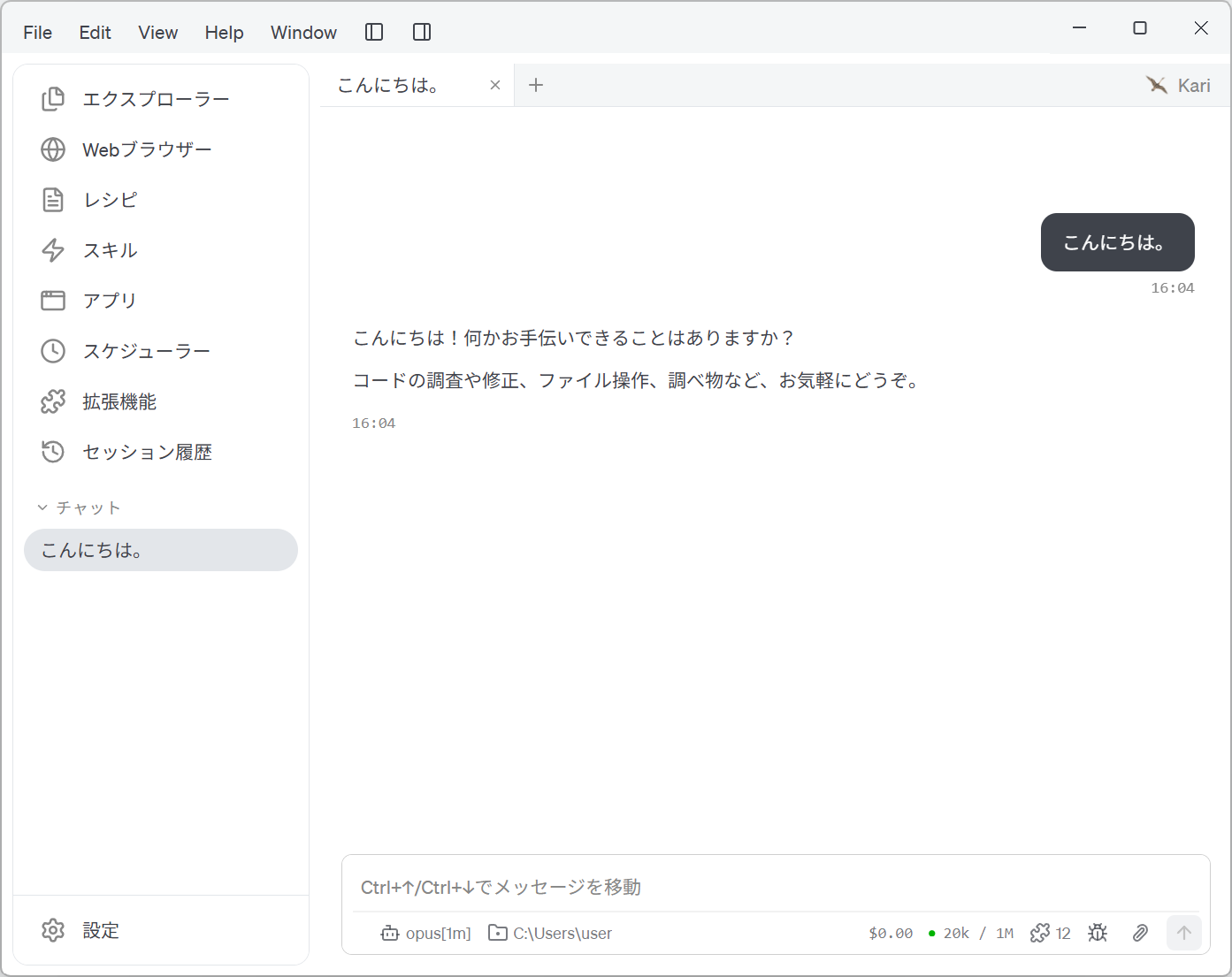
Screenshot shown in the original Japanese.