Choosing an AI provider that comes pre-defined in Kari
Copyright © 2026GotoAI Inc.Based on the goose project
Kari ships with the major AI providers already registered. Pick the provider you hold an API key for from the list, enter the key, and you are ready to go. Unlike signing in with a subscription, usage is billed as you go, according to your contract with the provider.
- On the Configure your AI Provider screen, click the Select a provider dropdown. The pre-registered providers are listed — Anthropic, Azure AI Foundry, Databricks, Google Gemini, Hugging Face, OpenAI and others. You can scroll the list, or type a provider name to narrow it down. For the complete list of registered providers, see Pre-defined AI providers at the end of this page.
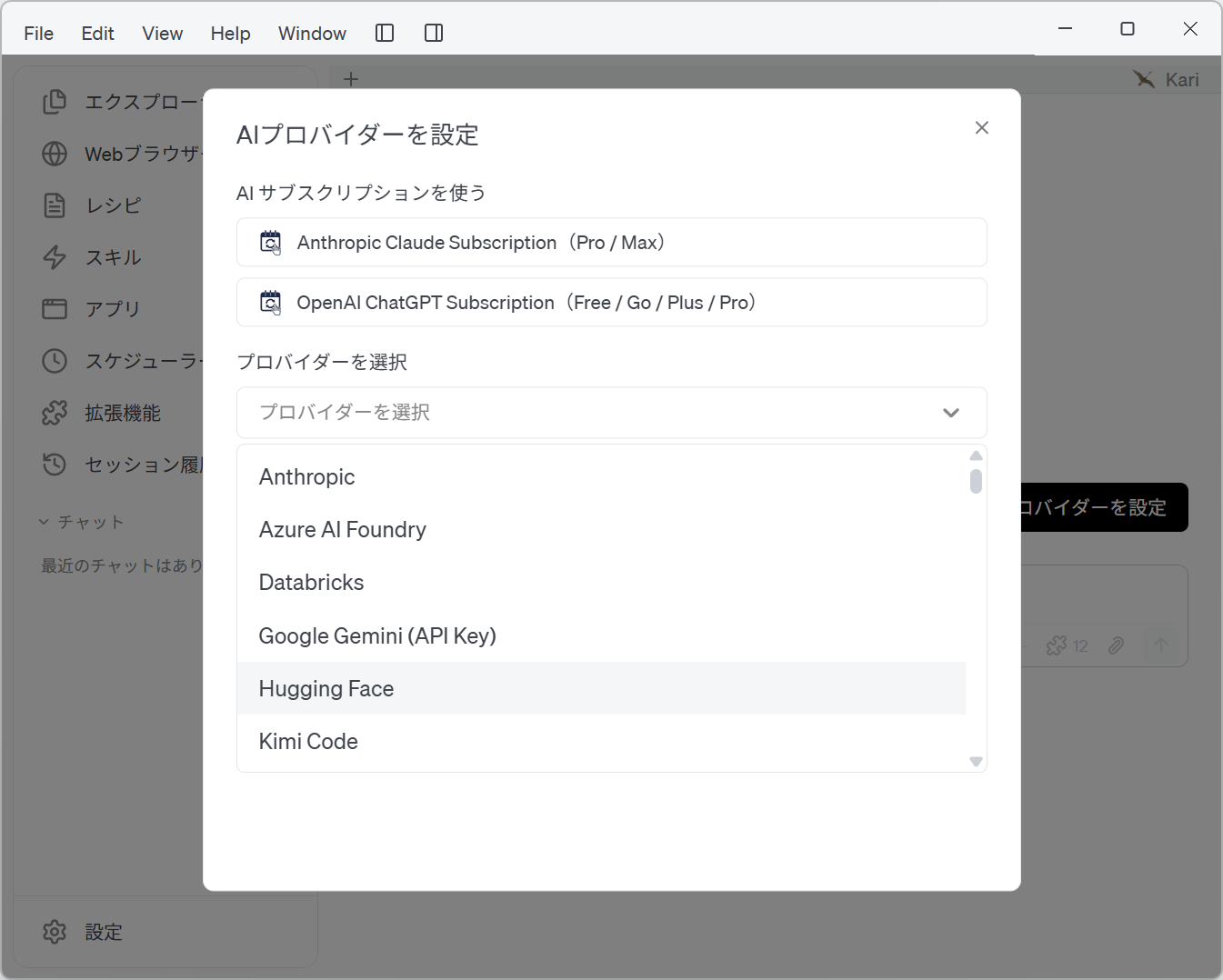
Screenshot shown in the original Japanese.
- Click the provider you want to use and its settings appear. Enter the API key and click Continue. This guide uses Hugging Face as the example provider.
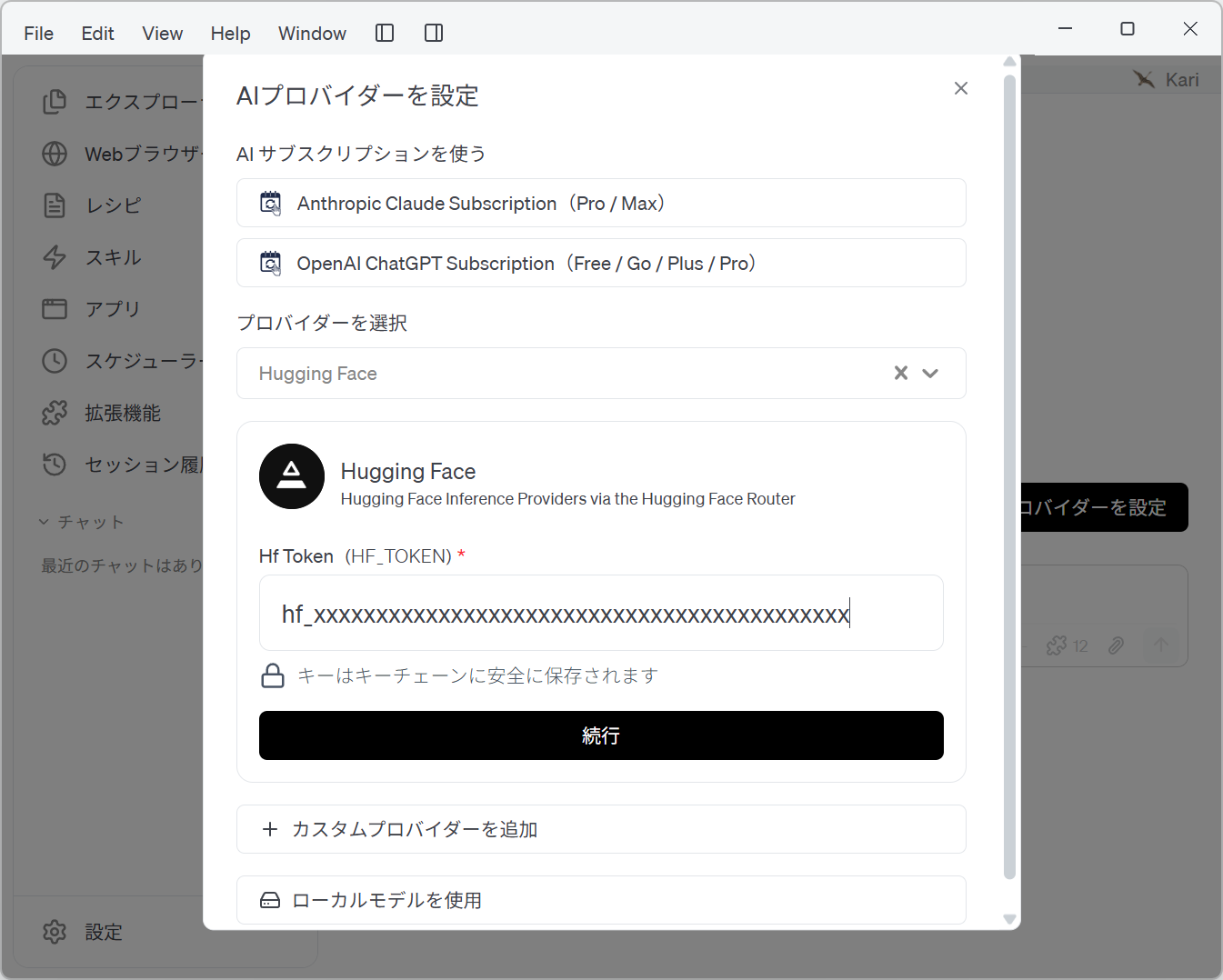
Screenshot shown in the original Japanese.
- Fields marked with
*are required. The field names differ by provider; for Hugging Face it is Hf Token (HF_TOKEN). - The key you enter is stored securely in the OS keychain.
- Some providers show Don't have an API key?. Click it to see how to obtain one.
- Once the provider is configured, the settings screen closes. Create a new AI chat session. At the bottom of the session window, click the model icon to the lower left of the input box and the current model and the Change model menu appear.
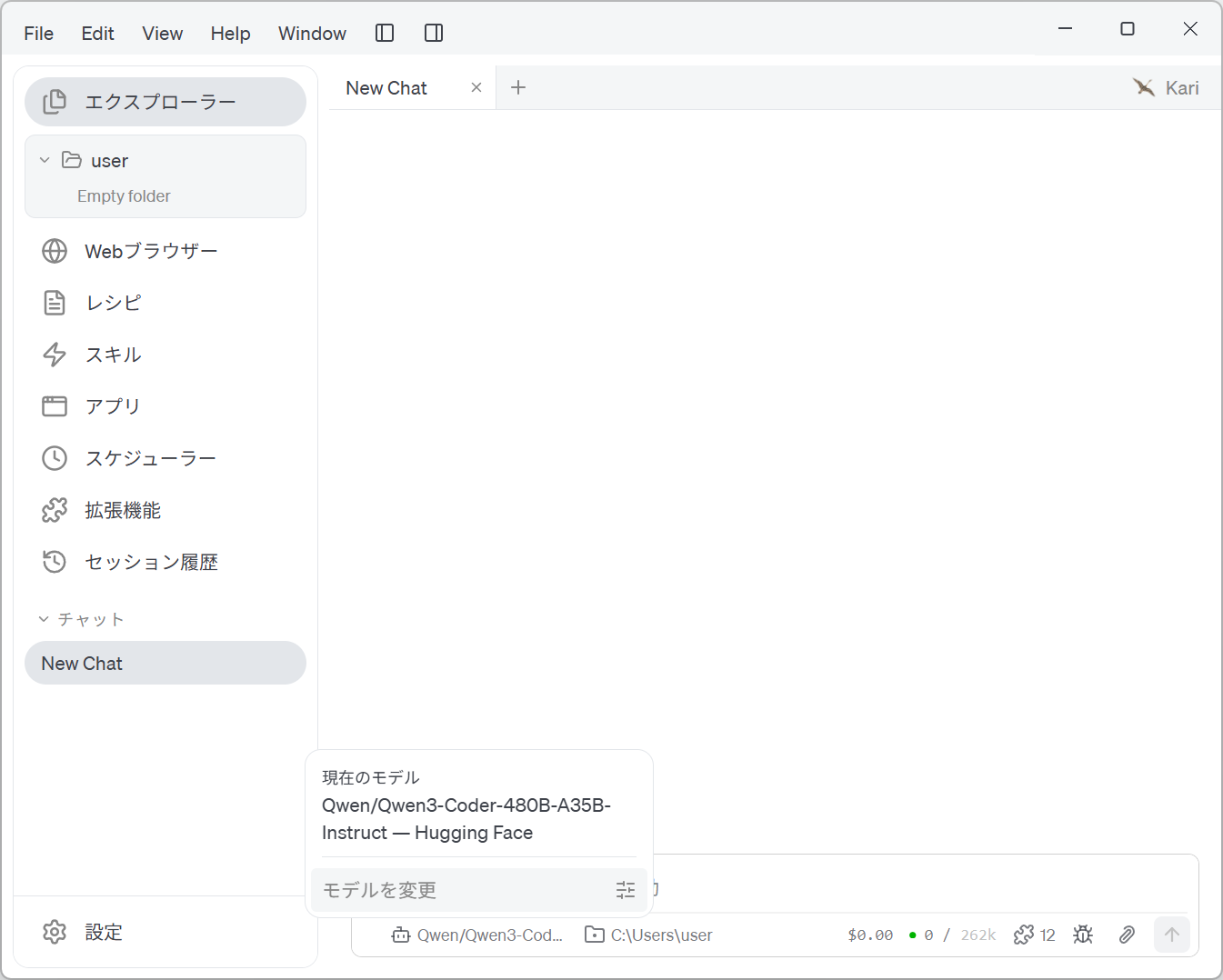
Screenshot shown in the original Japanese.
- The Switch model screen appears. Choose the provider in the upper section and the model in the lower section to switch to the model you want.
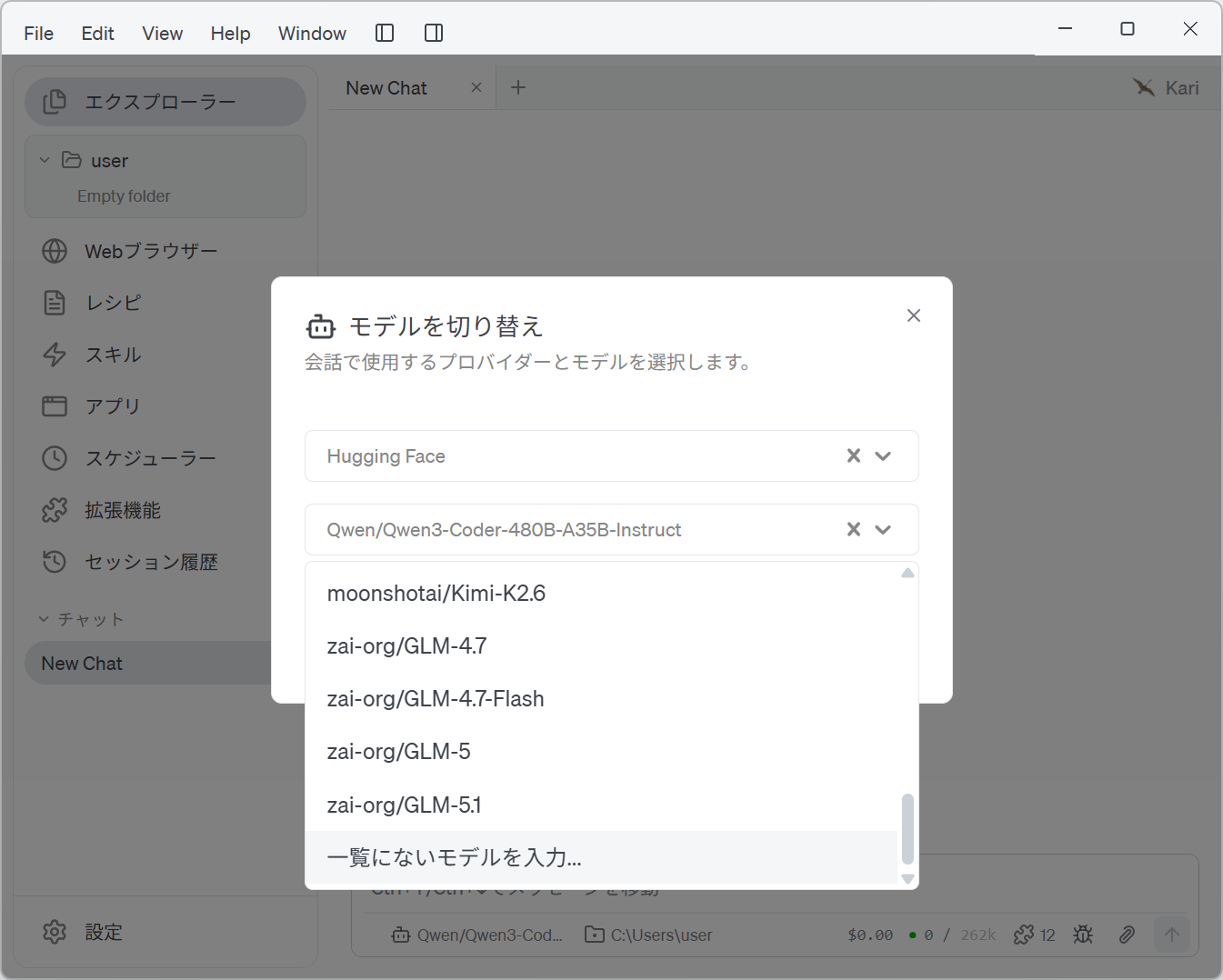
Screenshot shown in the original Japanese.
- To use a model that is not in the list, click Enter a model not in the list… at the end of the model list. Type the model name into Custom model name and click Select model. To go back to picking from the list, click Back to the model list.
(* For the inference LLMs you can choose on Hugging Face, see this Hugging Face page: https://huggingface.co/docs/inference-providers/guides/first-api-call#step-1-find-a-model-on-the-hub )
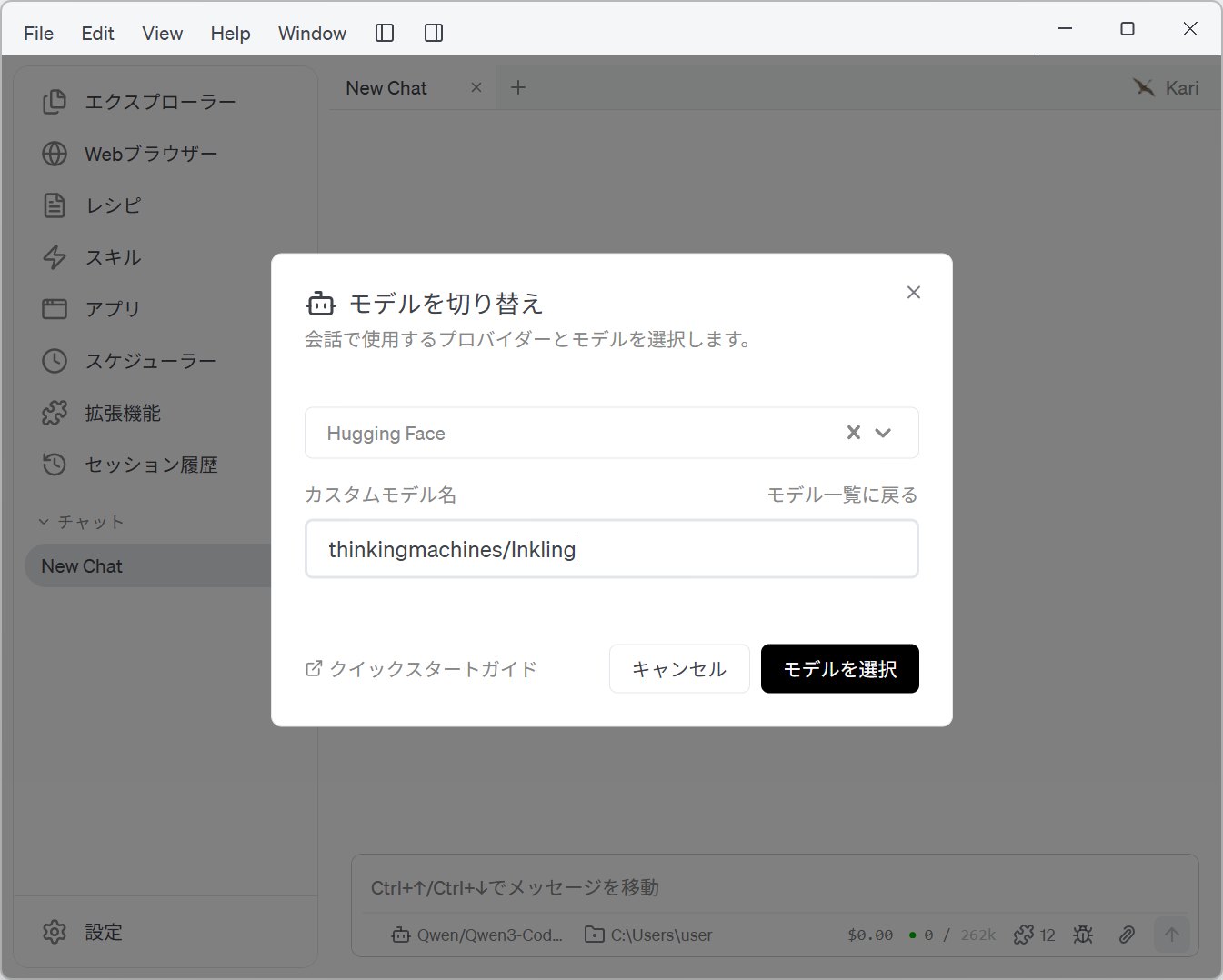
Screenshot shown in the original Japanese.
- With your chosen provider and model, start working in the chat session.
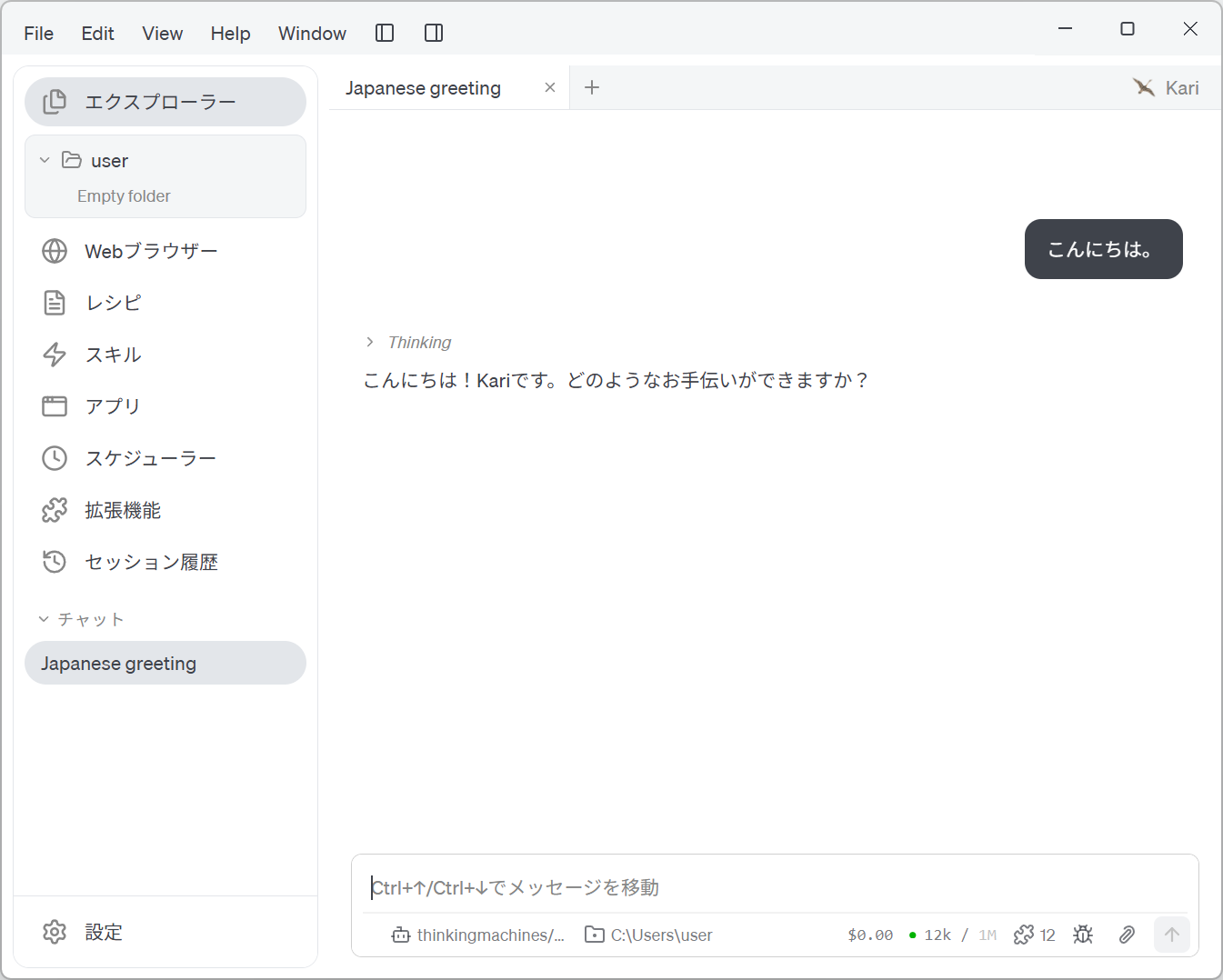
Screenshot shown in the original Japanese.
Pre-defined AI providers
The AI providers currently pre-defined in Kari are listed below, in alphabetical order. The list may change between Kari versions.
- Alibaba (Qwen)
- Amazon Bedrock
- Amazon SageMaker TGI
- Amp
- Anthropic
- Anthropic Claude Subscription
- Atomic Chat
- Avian
- Azure AI Foundry
- Azure OpenAI
- Celeris
- Cerebras
- Cursor Agent
- Databricks
- Databricks AI Gateway
- DeepSeek
- EmpirioLabs AI
- Fireworks AI
- Friendli AI
- FuturMix
- GCP Vertex AI
- Gemini
- GitHub Copilot
- GitHub Copilot CLI (ACP)
- Google Gemini (API Key)
- Groq
- Hugging Face
- iFlytek Astron MaaS
- iFlytek Spark
- Inception
- Kimi Code
- LiteLLM
- Llama Swap
- LM Studio
- Local Inference
- Meta
- MiniMax
- Mistral AI
- Moonshot
- NanoGPT
- NEAR AI Cloud
- Novita AI
- NVIDIA
- Ollama
- Ollama Cloud
- oMLX
- OpenAI
- OpenAI ChatGPT Subscription
- OpenCode Go
- OpenRouter
- OrcaRouter
- OVHcloud
- Perplexity
- Pi
- Routstr
- Sakana AI
- SaladCloud AI Gateway
- Scaleway
- Snowflake
- Tensorix
- Tetrate Agent Router Service
- Together AI
- Venice.ai
- Vercel AI Gateway
- VMware Tanzu Platform
- xAI
- xAI (SuperGrok Subscription)
- Z.AI
- Zhipu AI
Notes:
- Anthropic Claude Subscription and OpenAI ChatGPT Subscription can also be chosen from Use your AI subscription at the top of the same screen. See the separate guide for subscription use.
- Ollama, LM Studio, Llama Swap, oMLX, Atomic Chat and Local Inference are for models that run locally and need no API key.
- Amp, Cursor Agent, GitHub Copilot CLI (ACP) and Pi let Kari use each vendor's agent CLI, which must be installed separately.