Draft a PowerPoint deck
Copyright © 2026GotoAI Inc.Based on the goose project
Verification environment
The steps on this page were verified in the following environment.
- Kari: version 0.5.0 Beta
- AI provider: standalone OumiGo (version 0.3.0)
- GPU: A40
- LLM: Google Gemma 4 31B IT (quantized by Google, Hugging Face repository:
google/gemma-4-31B-it-qat-w4a16-ct)
With Kari you can draft a PowerPoint deck. The output is a file in PPTX format.
Check the input
- From the House of Representatives website, open the list of questions and answers for the 221st Diet session (「第221回国会 質問の一覧」).
URL: https://www.shugiin.go.jp/internet/itdb_shitsumon.nsf/html/shitsumon/menu_m.htm
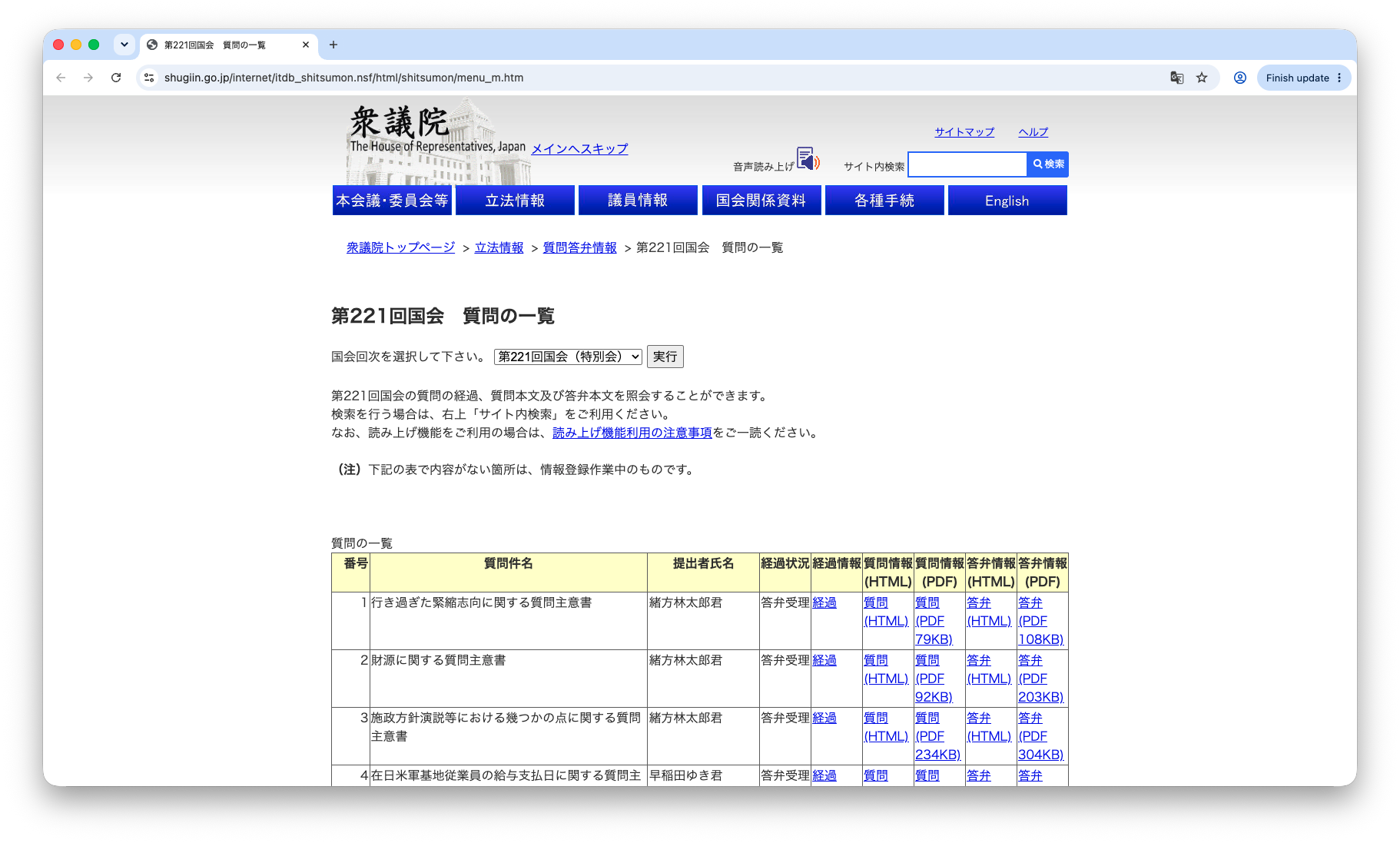
Screenshot shown in the original Japanese.
- Open the HTML answer (「答弁(HTML)」) for item number 2, the question on fiscal resources (「財源に関する質問主意書」), and confirm that the content is readable.
URL: https://www.shugiin.go.jp/internet/itdb_shitsumon.nsf/html/shitsumon/b221002.htm
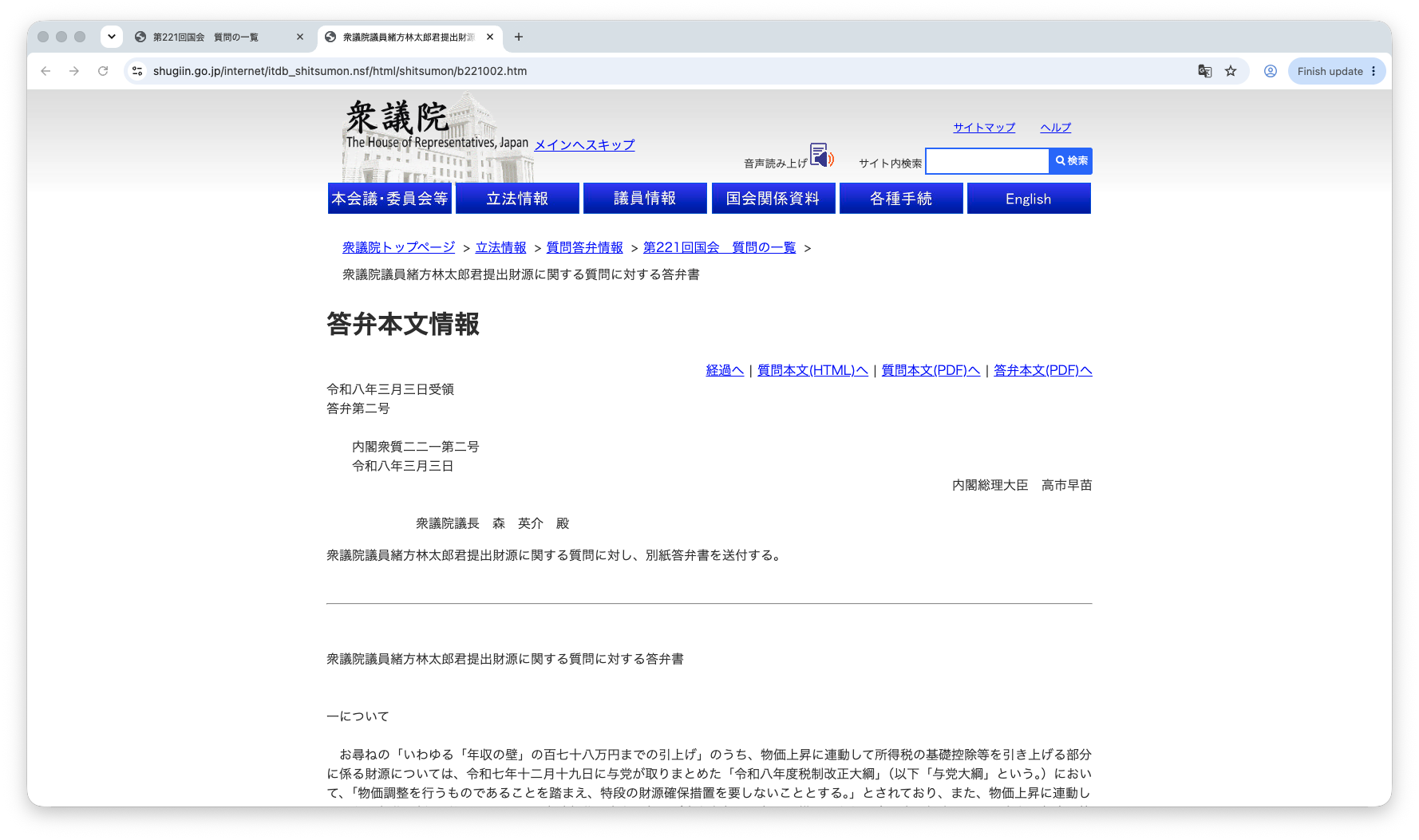
Screenshot shown in the original Japanese.
Instruct the AI
- Enter the URL of the answer page in the session's input box and ask the AI to build an outline deck. An example prompt follows; the screenshot shows the same prompt in Japanese.
Prompt for the AI
Structure the content of the answer on this page, " https://www.shugiin.go.jp/internet/itdb_shitsumon.nsf/html/shitsumon/b221002.htm ", create a PowerPoint deck outlining the answer, and save it as the file "答弁骨子.pptx".

Organize the information in at most three levels: heading 1, heading 2 and body text. Use the following font sizes:

- Deck title: 36 pt
- Message line: 28 pt
- Heading 1: 20 pt
- Heading 2: 16 pt
- Body text: 12 pt
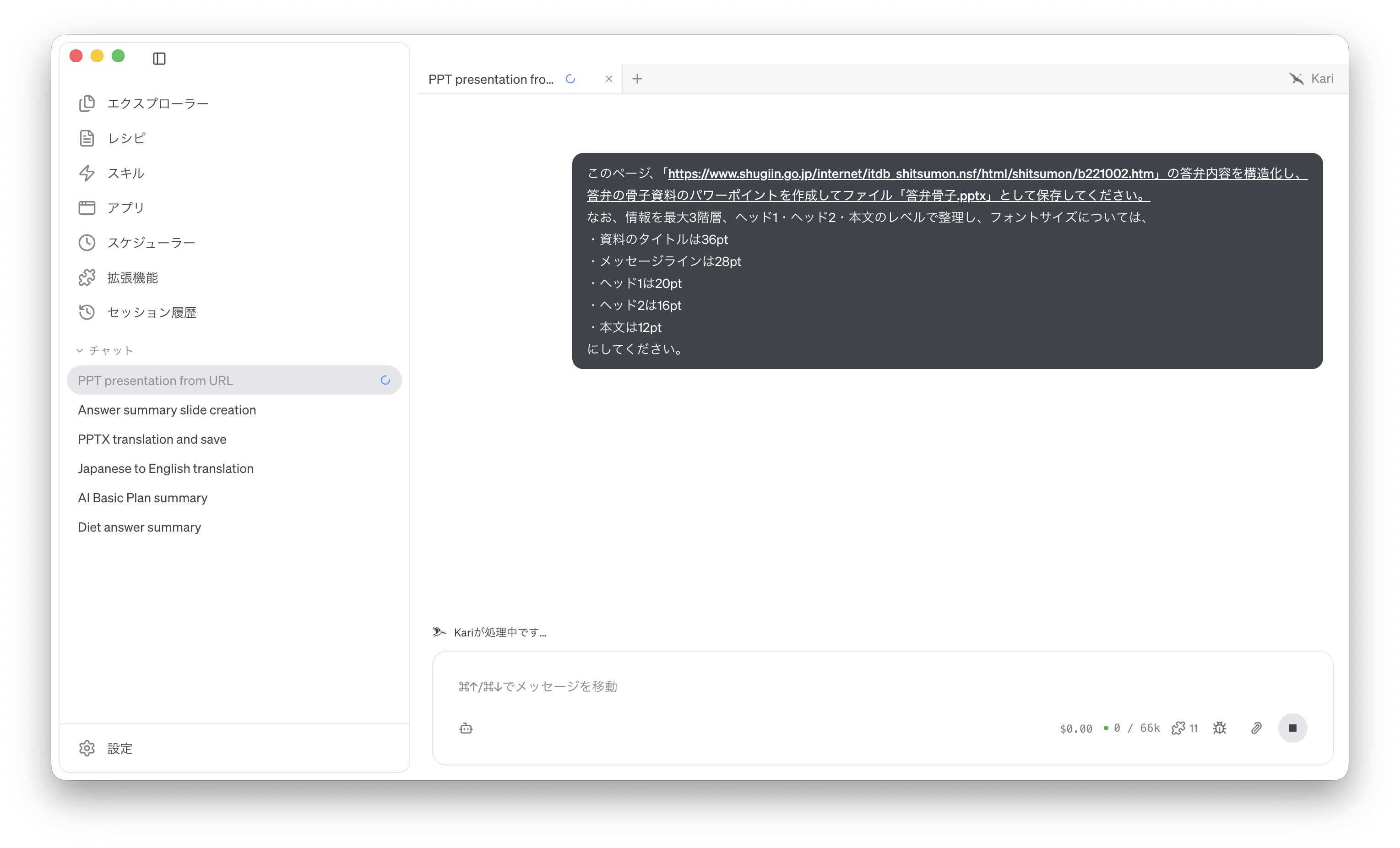
Screenshot shown in the original Japanese.
Check the AI's output
- The PowerPoint file produced by the AI is saved in the folder open in the Explorer (here,
Files). Open the file and review the result.
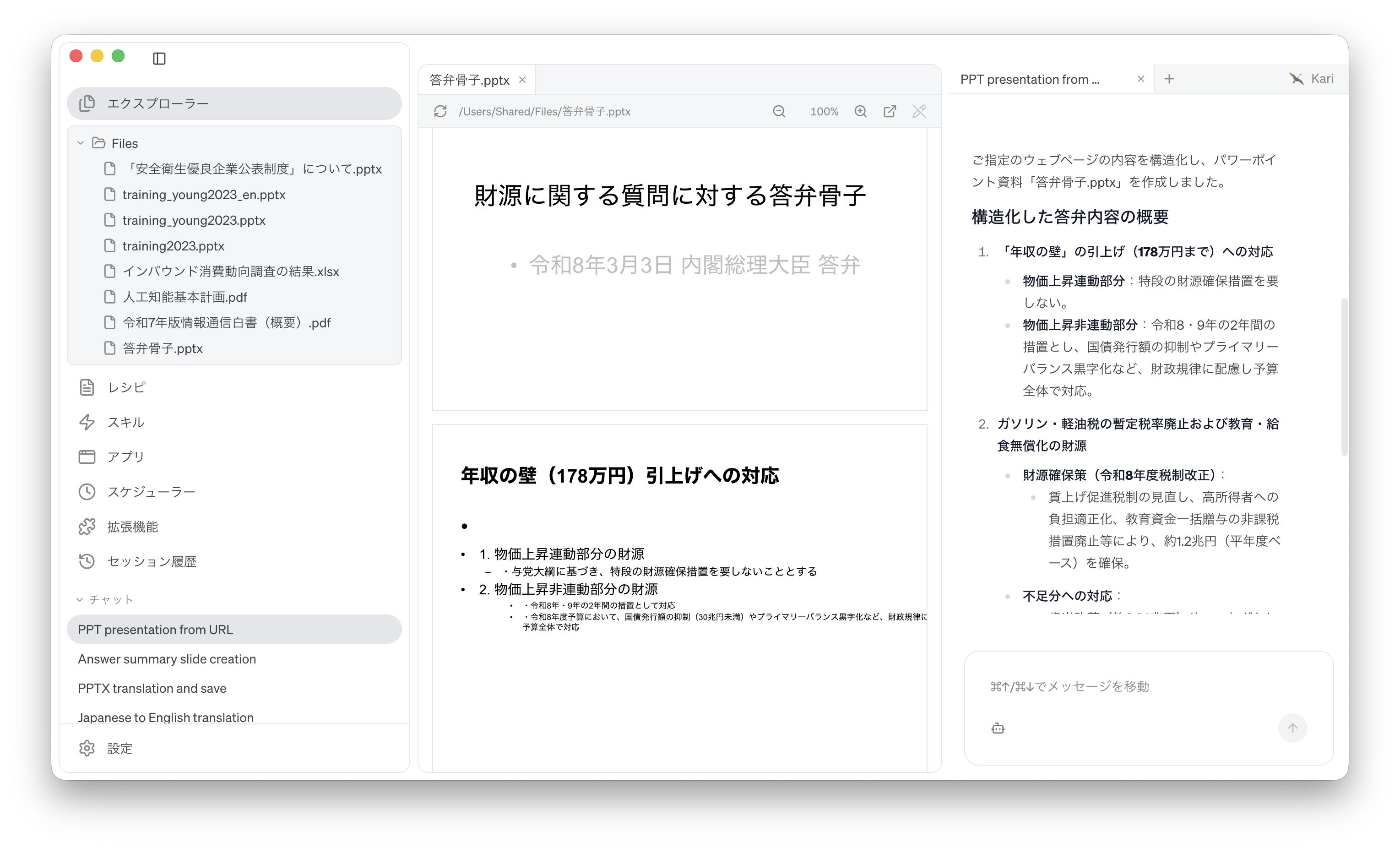
Screenshot shown in the original Japanese.
caution
The structure and formatting of the generated material vary with the LLM used.
References
The steps on this page use the following public material for illustration. Screenshots are reproduced as quotations with the source stated. The PowerPoint deck produced by the AI was generated by GotoAI as an example of Kari's operation; it was not created or published by the House of Representatives.
- Material: "List of questions, 221st Diet session" (「第221回国会 質問の一覧」) and "Answer to the question on fiscal resources submitted by Representative Rintaro Ogata" (221st Diet session, Answer No. 2, March 3, 2026)
- Provider: House of Representatives website (House of Representatives of Japan)
- URL: https://www.shugiin.go.jp/internet/itdb_shitsumon.nsf/html/shitsumon/menu_m.htm (list of questions)
https://www.shugiin.go.jp/internet/itdb_shitsumon.nsf/html/shitsumon/b221002.htm (answer text) - Accessed: September 8, 2026
- Terms of use: Quoted with the source stated, in accordance with the House of Representatives website's page on links and copyright (https://www.shugiin.go.jp/internet/itdb_annai.nsf/html/statics/link.html). As that page notes, content may be changed or removed without notice.
Disclaimer
- The external information quoted on this site is provided to illustrate examples of using Kari. This site does not guarantee the accuracy or currency of that information. Quoted sources may be changed or removed without notice.
- The AI output shown on this site was actually obtained in the stated verification environment. However, this site does not guarantee the accuracy or usefulness of that output. AI output varies with the LLM used, its settings, and from one run to the next.
- Before using AI output in your work, always check it against the original material and make your own judgement, at your own responsibility.
- Screenshots were taken with the version of Kari current at the time of writing. The display may differ in your version.
- The organizations quoted have no affiliation with, and do not endorse, this site or Kari.