Visualize Excel data
Copyright © 2026GotoAI Inc.Based on the goose project
The steps on this page were verified in the following environment.
- Kari: version 0.5.0 Beta
- AI provider: standalone OumiGo (version 0.3.0)
- GPU: RTX A6000
- LLM: Google Gemma 4 31B IT (quantized by Google, Hugging Face repository:
google/gemma-4-31B-it-qat-w4a16-ct)
With Kari you can aggregate Excel data and then visualize it. The chart is saved as an image file.
Check the input
- Open the Japan Tourism Agency's page on the Consumption Trend Survey for Foreigners Visiting Japan (「インバウンド消費動向調査」). Under the survey results, download the Excel data for the April to June tables, first preliminary report (「4-6月 集計表(1次速報)」), to a local folder.
Page URL: https://www.mlit.go.jp/kankocho/tokei_hakusyo/gaikokujinshohidoko.html
Excel file URL: https://www.mlit.go.jp/kankocho/content/002011743.xlsx
- In Kari's Explorer, navigate to where the downloaded file is saved and click the file to view its contents.
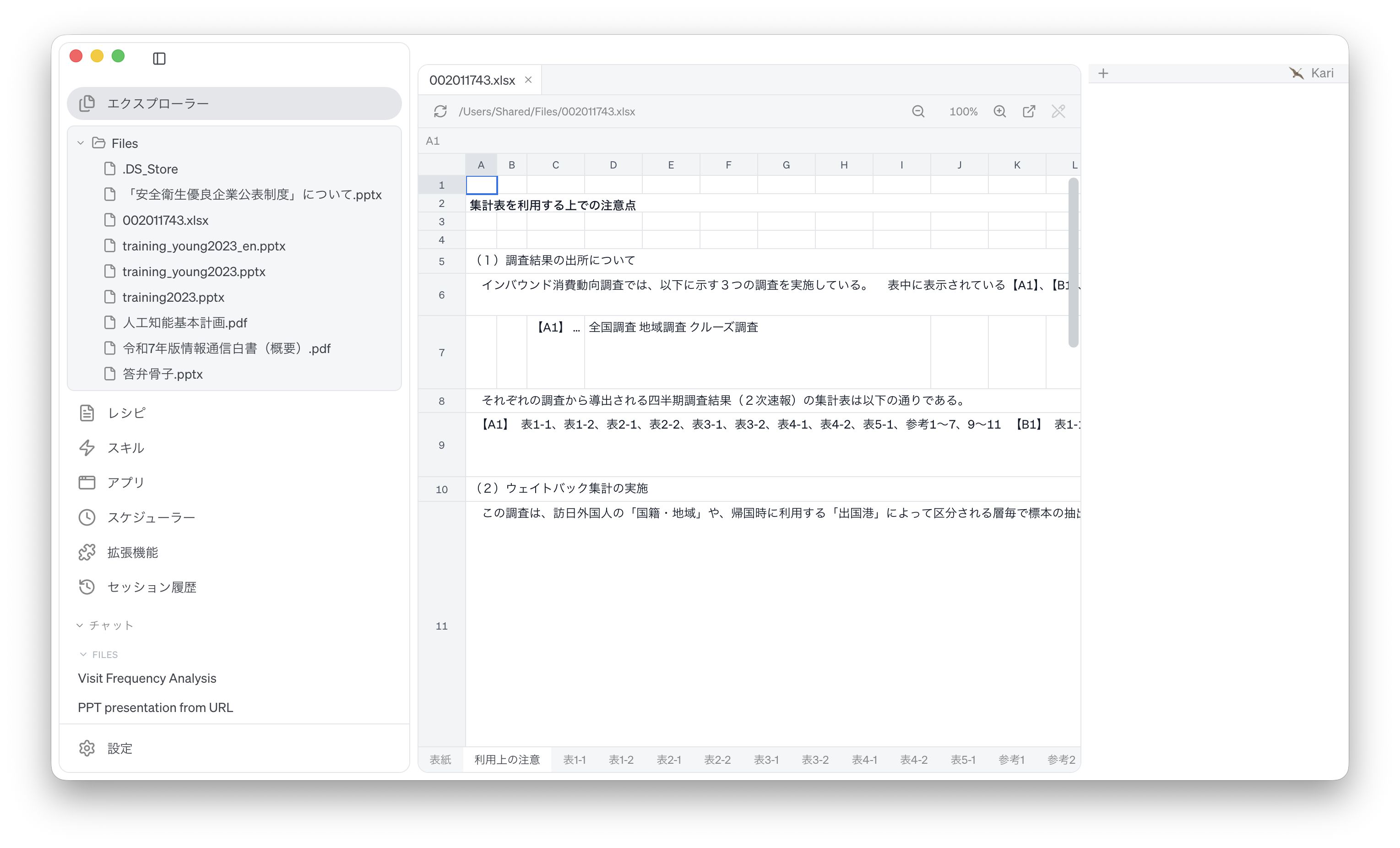
Screenshot shown in the original Japanese.
Instruct the AI
We analyze and visualize, by nationality and region, the percentage breakdown of spending by expense category. Instruct the AI as follows. The prompt below is an English rendering of the Japanese prompt shown in the screenshot; the sheet, row and column labels are quoted as they appear in the Japanese source file.
Based on the sheet 「表2-1」 of the Excel file that is currently open, estimate total spending under 「日本滞在中の費目別支出」 (spending by expense category during the stay in Japan) by nationality and region, aggregate its percentage breakdown, and visualize it.

1. Structure of the source data
(1) This sheet holds two tables, one above the other. The upper table (rows 5 to 51) is 「購入率」 (purchase rate); do not use it. Use only the lower table (row 53 onwards), 「購入者単価」 (spending per purchaser).
(2) Row 53 holds the lower table's column headings. From column E rightwards come 「全国籍・地域」 (all nationalities and regions), then the nationality and region names 「韓国」, 「台湾」 and so on (the last column, 「その他」, is also a nationality or region). Each nationality or region occupies a pair of merged columns; row 54 labels the left column 「回答数」 (number of respondents) and the right column 「購入者単価」.
(3) Use only the six first-level expense categories: row 58 「宿泊費」 (accommodation), row 59 「飲食費」 (food and drink), row 60 「交通費」 (transport), row 69 「娯楽等サービス費」 (entertainment and services), row 82 「買物代」 (shopping), and row 99 「その他」 (other). The category names are in column C. The other rows between 58 and 99 (those with a name in column D) are second-level breakdowns; do not use them.
(4) Treat a cell containing 「-」 or nothing as 0 (row 99 「その他」 has many of these).

2. Aggregation method
(1) For each nationality or region and each category, calculate estimated total spending = respondents × spending per purchaser.
(2) For each nationality or region, calculate the share of each category = that category's total ÷ the sum of the six categories' totals.
(3) Write the shares as Excel numbers with the number format "0.0%". Do not write strings.

3. Excel output
(1) Arrange the results as the following matrix:
 - Rows: the six categories, in the source sheet's top-to-bottom order (宿泊費, 飲食費, 交通費, 娯楽等サービス費, 買物代, その他)
 - Columns: 「全国籍・地域」 followed by each nationality or region, in the source sheet's left-to-right order
 - Column headings (nationality and region names) in row 1, category names in column A
 - A final 「合計」 (total) row showing that each column adds up to 100.0%
(2) Save the matrix of total spending in yen the shares were derived from (same rows and columns) in a separate sheet named 「支出総額」.
(3) Leave the original file unchanged and save the result as a new file, 「国籍・地域別の費目別支出集計.xlsx」, in the same folder.

4. Chart output
(1) From the share matrix above, create a 100% stacked bar chart and save it as 「国籍・地域別の費目別支出集計.png」 in the same folder.
(2) Format the chart as follows:
 - Horizontal axis: nationality and region, in the matrix's column order (「全国籍・地域」 on the left)
 - Vertical axis: share (0 to 100%)
 - Stacking order in each bar: the matrix's row order, 「宿泊費」 at the bottom up to 「その他」 at the top
 - Show the category names in the legend
 - Title: 「インバウンド消費動向調査 2026年4-6月期(1次速報) 国籍・地域別 費目別支出の構成比率」
(3) If Japanese text renders as garbled characters, specify a Japanese font or recreate the chart with English labels.

5. Report
(1) Report the paths of the two saved files.
(2) Report the six shares in the 「全国籍・地域」 column.
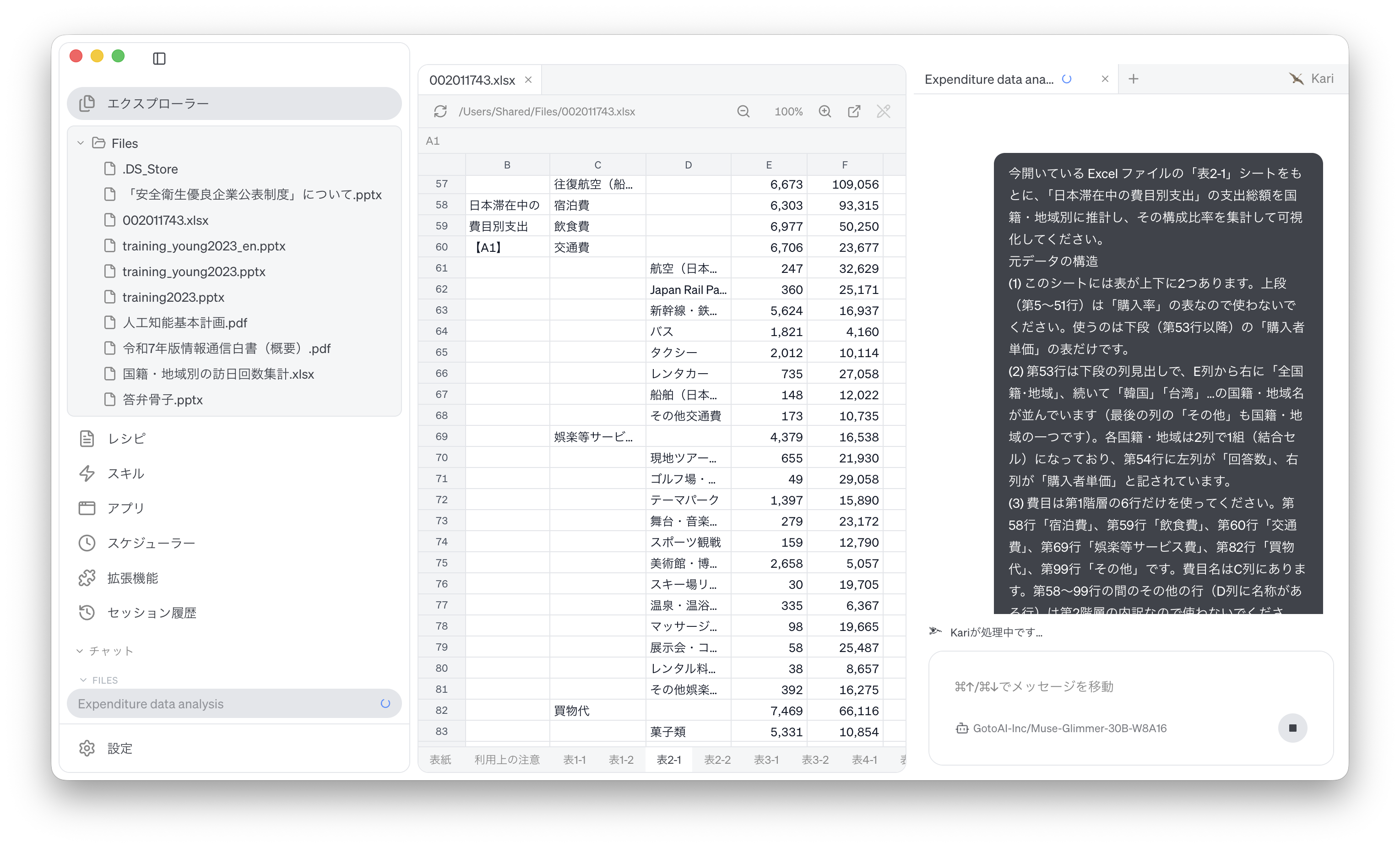
Screenshot shown in the original Japanese.
Check the AI's output
Open the PNG image produced by the AI and review the result.
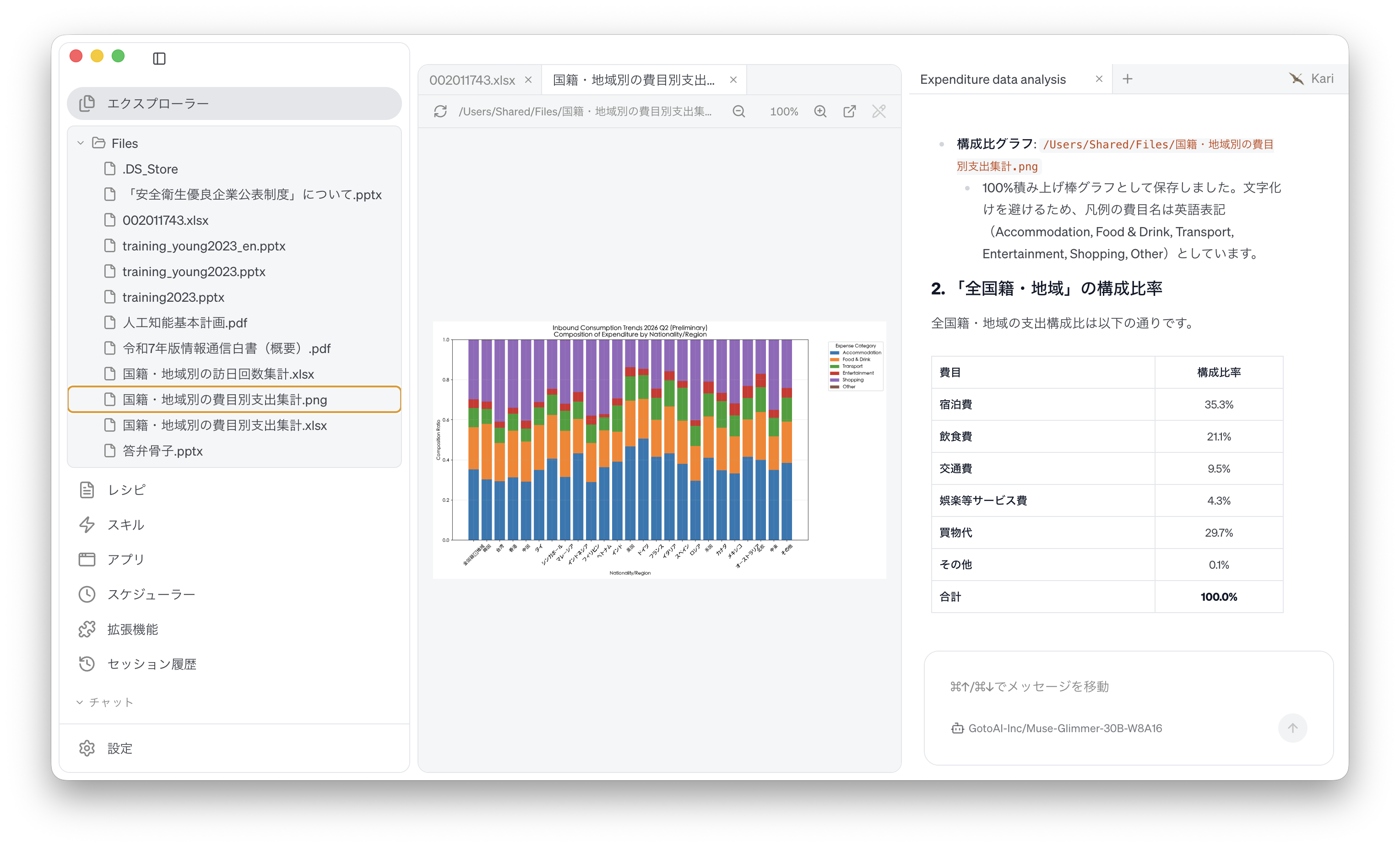
Screenshot shown in the original Japanese.
The structure and formatting of the generated material vary with the LLM used.
- The external information quoted on this site is provided to illustrate examples of using Kari. This site does not guarantee the accuracy or currency of that information. Quoted sources may be changed or removed without notice.
- The AI output shown on this site was actually obtained in the stated verification environment. However, this site does not guarantee the accuracy or usefulness of that output. AI output varies with the LLM used, its settings, and from one run to the next.
- Before using AI output in your work, always check it against the original material and make your own judgement, at your own responsibility.
- Screenshots were taken with the version of Kari current at the time of writing. The display may differ in your version.
- The organizations quoted have no affiliation with, and do not endorse, this site or Kari.