Create a flowchart
Copyright © 2026GotoAI Inc.Based on the goose project
The steps on this page were verified in the following environment.
- Kari: version 0.5.0 Beta
- AI provider: standalone OumiGo (version 0.3.0)
- GPU: RTX A6000
- LLM: Meta Muse-Glimmer-30B (quantized by GotoAI, Hugging Face repository:
GotoAI-Inc/Muse-Glimmer-30B-W8A16)
With Kari, the AI can read a process or procedure described on a web page and draw it as a flowchart. The flowchart is saved as an image file.
Check the input
-
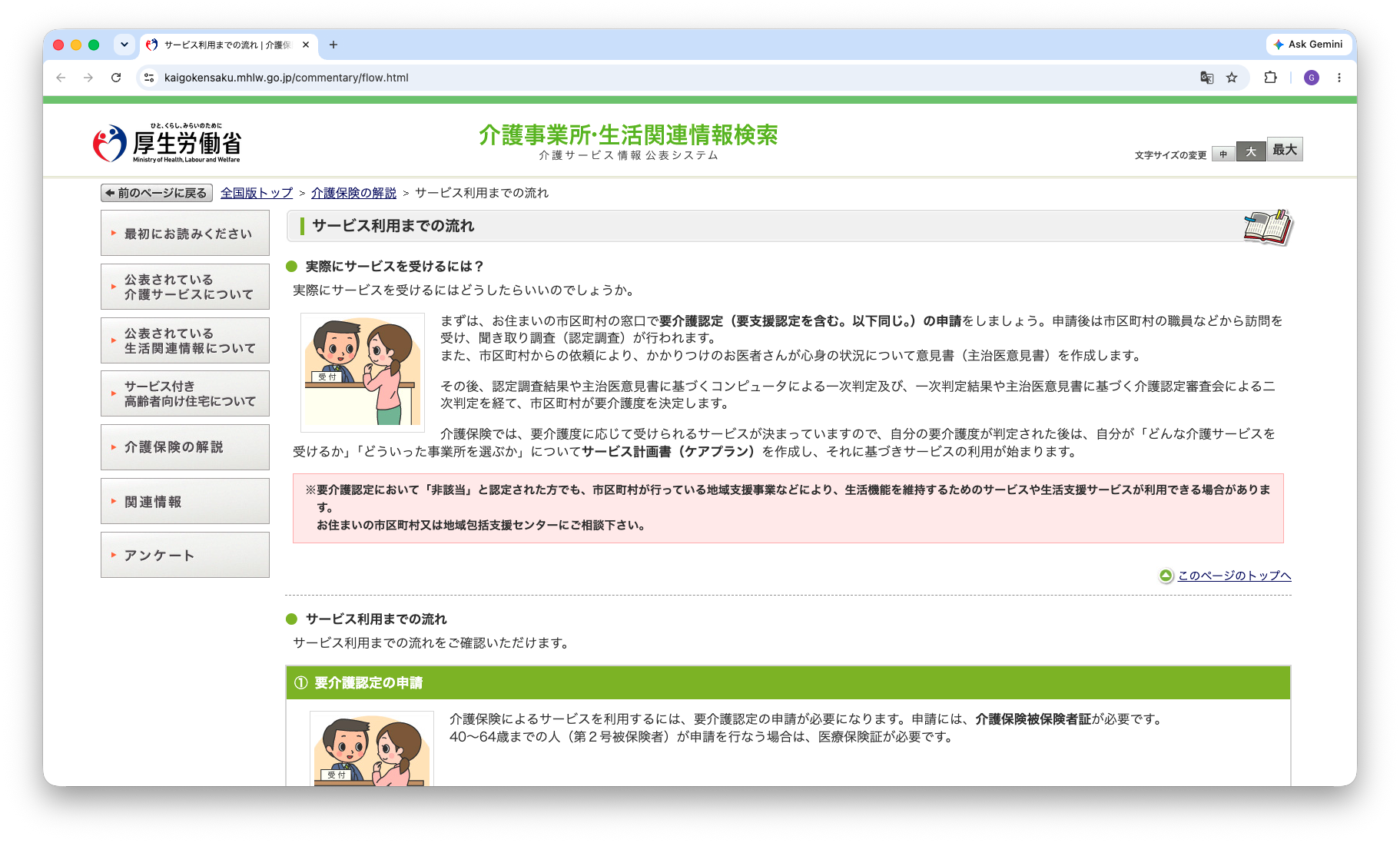
Open the page "Steps to using services" (「サービス利用までの流れ」) on the Ministry of Health, Labour and Welfare's Long-Term Care Service Information Disclosure System (「介護サービス情報公表システム」). This is the page the AI will read.
URL: https://www.kaigokensaku.mhlw.go.jp/commentary/flow.html -
The page describes the process from applying for long-term care certification to starting to use services, in the following six stages.
- Application for certification of need for long-term care (at the municipal office)
- Certification survey and the attending physician's opinion
- Assessment and judgement (primary and secondary judgement)
- Certification (one of: support level 1 or 2, care level 1 to 5, or not eligible)
- Preparation of the care (or preventive care) service plan (community comprehensive support center for support levels, home care support provider for care levels)
- Start of long-term care services
-
The flow branches at the certification stage according to the result. Whether that branch is drawn correctly is the main thing to check in the flowchart.
Screenshot shown in the original Japanese.
Instruct the AI
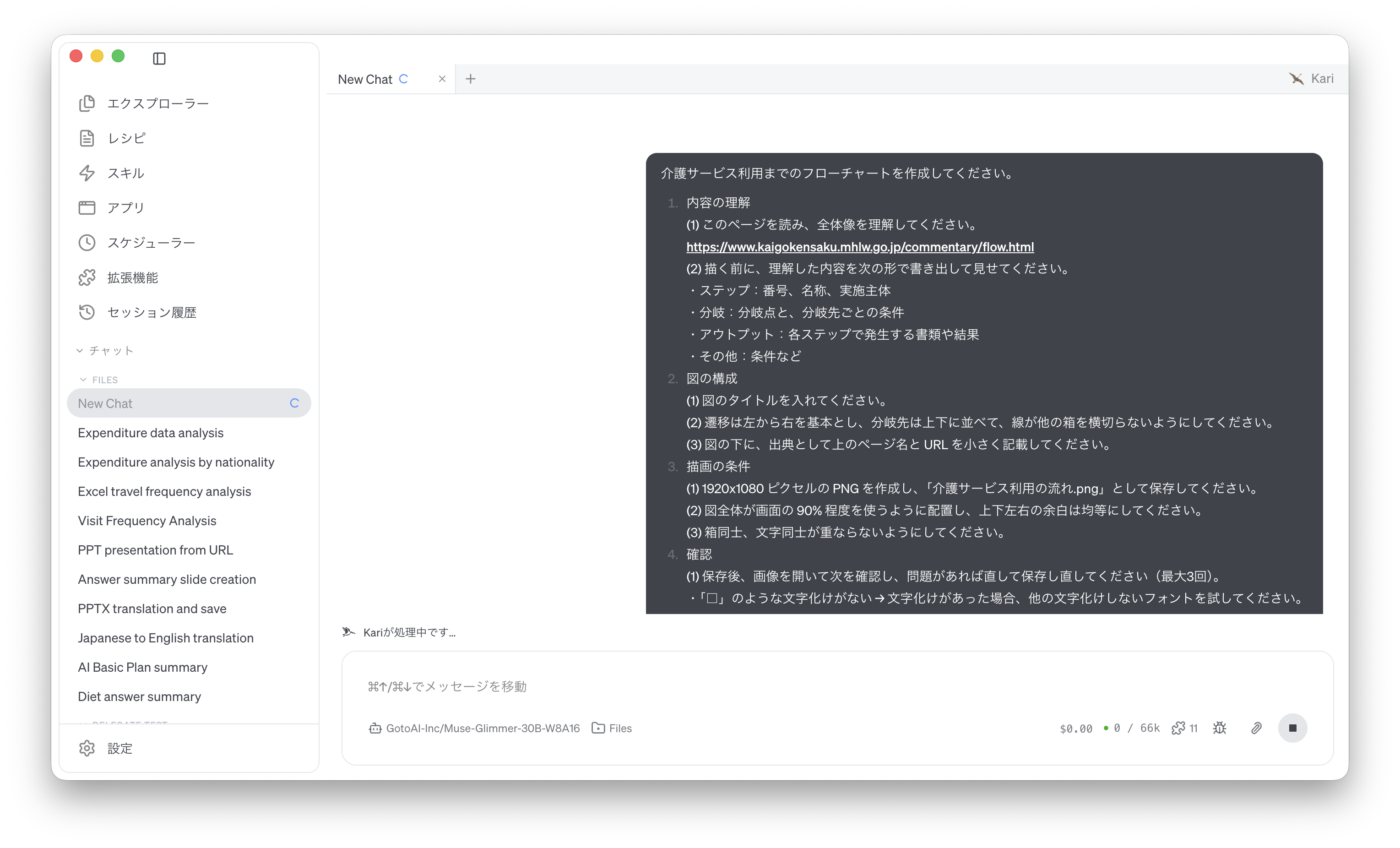
- Ask the AI to create the flowchart, giving it the URL of the page. Instruct it as follows. Having the AI write out what it understood before drawing lets you catch reading errors before anything is drawn. The prompt below is an English rendering of the Japanese prompt shown in the screenshot.
Create a flowchart of the steps to using long-term care services.

1. Understanding the content
(1) Read this page and understand the whole picture.
https://www.kaigokensaku.mhlw.go.jp/commentary/flow.html
(2) Before drawing, write out what you understood in the following form and show it to me:
 - Steps: number, name, who carries it out
 - Branches: the branch point and the condition for each branch
 - Outputs: documents or results produced at each step
 - Other: conditions and so on

2. Layout of the diagram
(1) Give the diagram a title.
(2) Flow from left to right as a rule, place branch targets above and below each other, and make sure no line crosses another box.
(3) Below the diagram, state the page name and URL above as the source, in small text.

3. Drawing conditions
(1) Create a PNG of 1920 x 1080 pixels and save it as 「介護サービス利用の流れ.png」.
(2) Lay out the diagram so that it uses about 90% of the canvas, with equal margins on all four sides.
(3) Make sure no boxes overlap and no text overlaps.

4. Checking
(1) After saving, open the image and check the following; if there is a problem, fix it and save again (up to three times).
 - No garbled characters such as "□" → if there are, try another font that does not garble.
 - Text fits inside its box and nothing runs off the canvas.
(2) Finally, report the steps, branches and outputs included in the diagram as a bulleted list.
Screenshot shown in the original Japanese.
Check the AI's output
-
The AI first reads the page and lists the steps, branches and outputs in the session window. At this point, check that the six stages and the branch at certification match the original page.
-
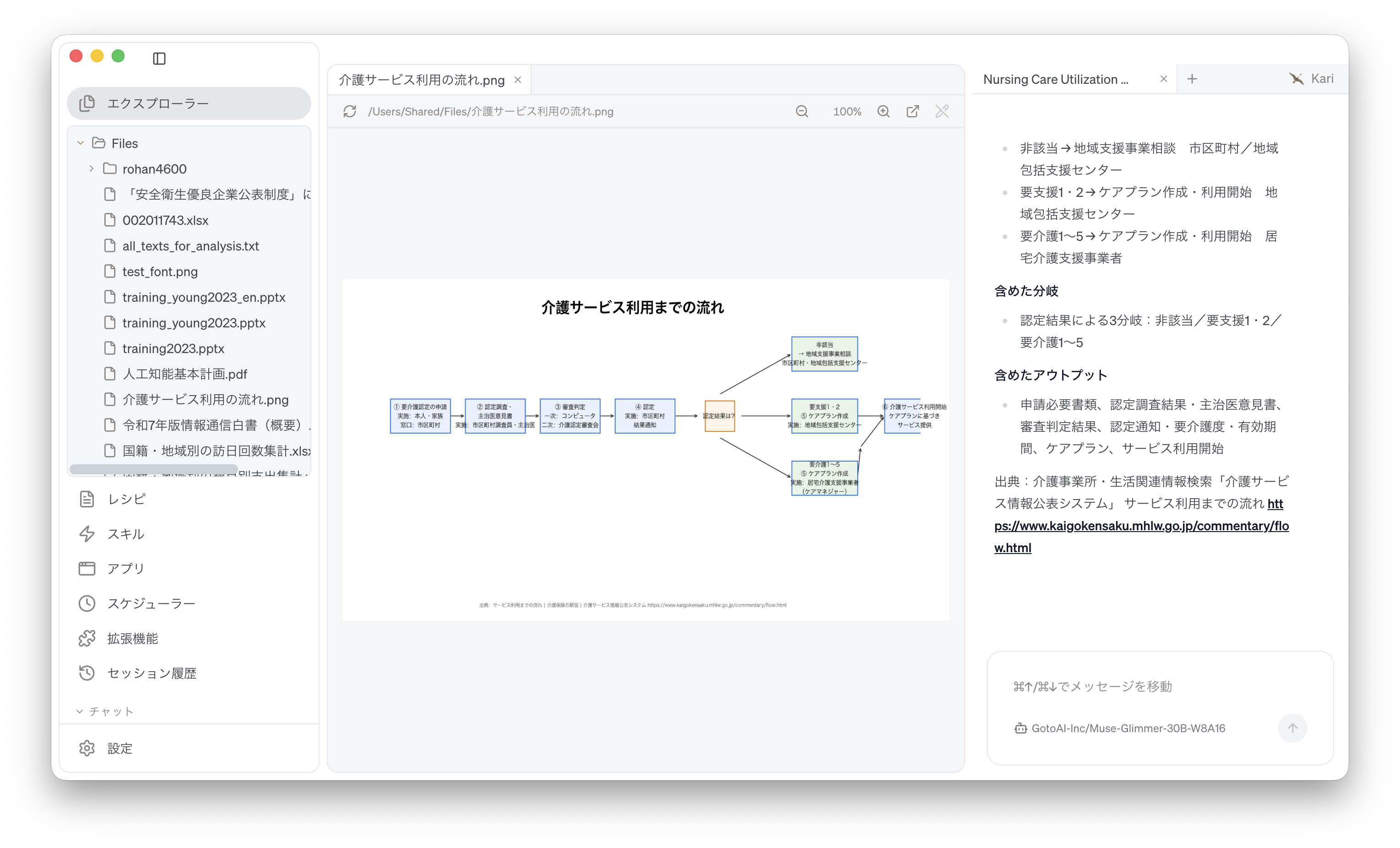
The AI then draws the diagram and saves it as a PNG image in the working folder. After saving, it opens the image itself to check for garbled text and overflow, and redraws if needed. Finally, a report of what the diagram contains appears in the session window.
-
In Kari's Explorer, click the saved file 「介護サービス利用の流れ.png」 to open it, and check the following.
- The steps run left to right, and the branch from certification to support level, care level and not eligible is drawn vertically.
- Text fits inside its box, with no garbled characters such as "□".
- The source page name and URL appear below the diagram.
Screenshot shown in the original Japanese.
The layout and formatting of the diagram, and the accuracy of the reading, vary with the LLM used. Check the branch conditions and the responsible parties against the original page.
References
The steps on this page use the following public website for illustration. Screenshots are reproduced as quotations with the source stated. The flowchart created by the AI was generated by GotoAI as an example of Kari's operation; it was not created or published by the Ministry of Health, Labour and Welfare or the prefectures.
- Material: "Steps to using services" (「サービス利用までの流れ」), in the guide to long-term care insurance
- Provider: Long-Term Care Service Information Disclosure System (the prefectures and the Ministry of Health, Labour and Welfare)
- URL: https://www.kaigokensaku.mhlw.go.jp/commentary/flow.html
- Accessed: September 8, 2026
- Terms of use: Reproduced and quoted with the source stated, in accordance with the site's page on links and reproduction (https://www.kaigokensaku.mhlw.go.jp/copyright/). The site asks that its information be used in line with the site's purpose, and notes that URLs may change without notice. Source: Long-Term Care Service Information Disclosure System (URL above).
- The external information quoted on this site is provided to illustrate examples of using Kari. This site does not guarantee the accuracy or currency of that information. Quoted sources may be changed or removed without notice.
- The AI output shown on this site was actually obtained in the stated verification environment. However, this site does not guarantee the accuracy or usefulness of that output. AI output varies with the LLM used, its settings, and from one run to the next.
- Before using AI output in your work, always check it against the original material and make your own judgement, at your own responsibility.
- Screenshots were taken with the version of Kari current at the time of writing. The display may differ in your version.
- The organizations quoted have no affiliation with, and do not endorse, this site or Kari.