Search pages on a website
Copyright © 2026GotoAI Inc.Based on the goose project
The steps on this page were verified in the following environment.
- Kari: version 0.5.0 Beta
- AI provider: standalone OumiGo (version 0.3.0)
- GPU: RTX A6000
- LLM: Meta Muse-Glimmer-30B (quantized by GotoAI, Hugging Face repository:
GotoAI-Inc/Muse-Glimmer-30B-W8A16)
With Kari, the AI can read the pages of a website and find and list the information that matches your conditions. To speed up the search, the AI uses several subagents.
Check the input
- Open the top page of the Ministry of Land, Infrastructure, Transport and Tourism's National Land Numerical Information download site (国土数値情報ダウンロードサイト).
URL: https://nlftp.mlit.go.jp/ksj/
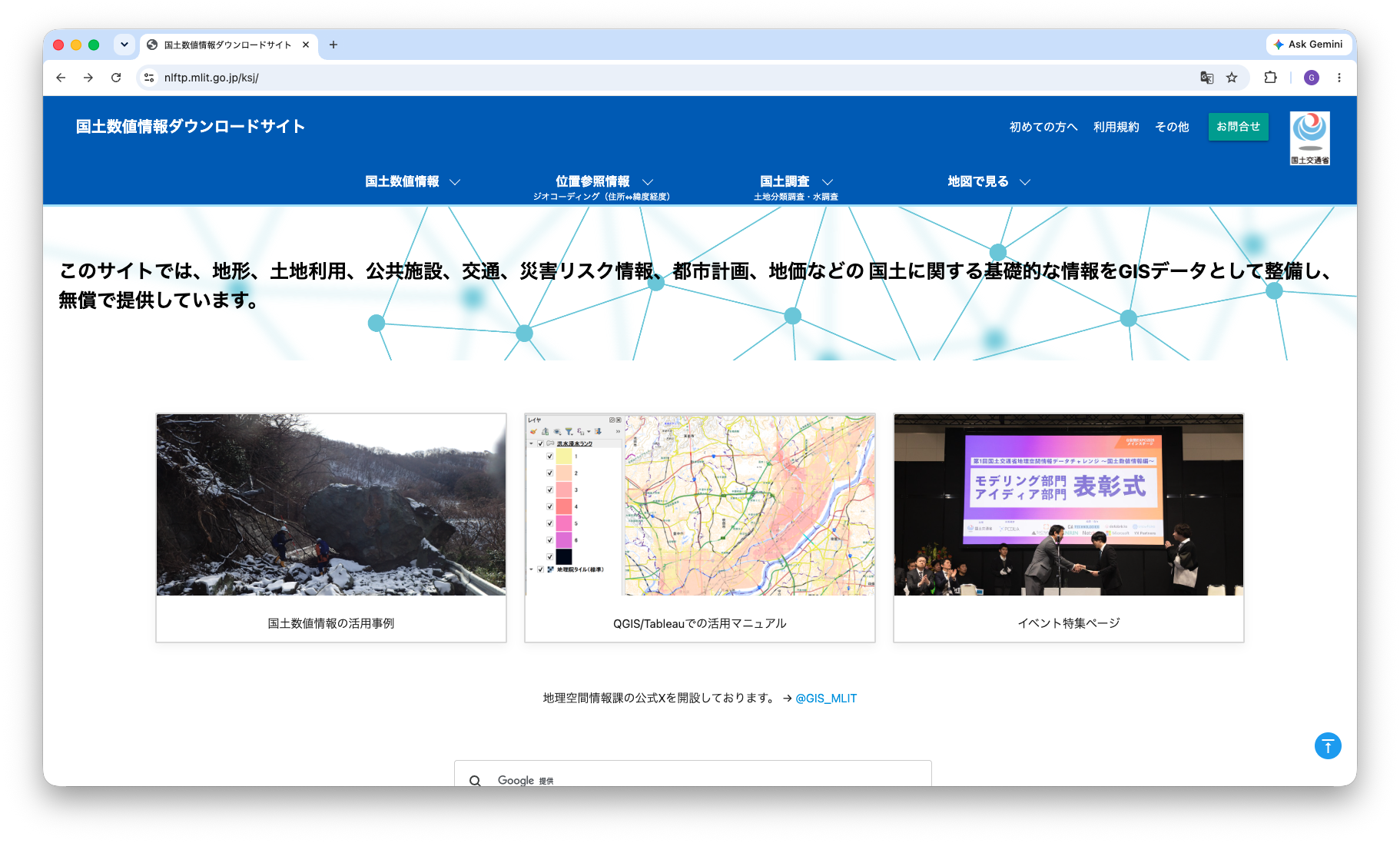
Screenshot shown in the original Japanese.
Instruct the AI
- We list the datasets updated on or after January 1, 2025. Instruct the AI as follows. The prompt below is an English rendering of the Japanese prompt shown in the screenshot.
Starting from the portal of the National Land Numerical Information download site, "https://nlftp.mlit.go.jp/ksj/", read the pages and list the datasets updated on or after January 1, 2025.

1. How to read
(1) From the portal, open each dataset's page.
(2) At the top of each dataset page there is a sentence of the form 「選択したデータ項目は、国土数値情報 〇〇データ です。」 ("The selected data item is National Land Numerical Information: 〇〇 data."). The 〇〇 part is the dataset name.
(3) Below it there is a table whose first row is the update history (「更新履歴」), from which you can find the dataset's update dates.
 - The update history row may contain several lines; in that case the first line is the most recent update.
 - Each update history entry begins with the year of the update, in the Western or Japanese calendar, or with the update date. If an entry cannot be parsed, you may skip it.
 - You may skip dataset pages that have no update history.
(4) You may use up to 5 subagents.

2. Aggregation method
(1) Include only items dated 2025/01/01 or later.
(2) If the same dataset was updated more than once, keep only the most recent entry.

3. Output
(1) Produce a table with three columns: dataset name, latest update date, and URL.
(2) Sort it by date, newest first.
(3) Convert relative links on the pages into absolute URLs starting with "https://nlftp.mlit.go.jp/".
(4) Finally, report how many datasets matched.
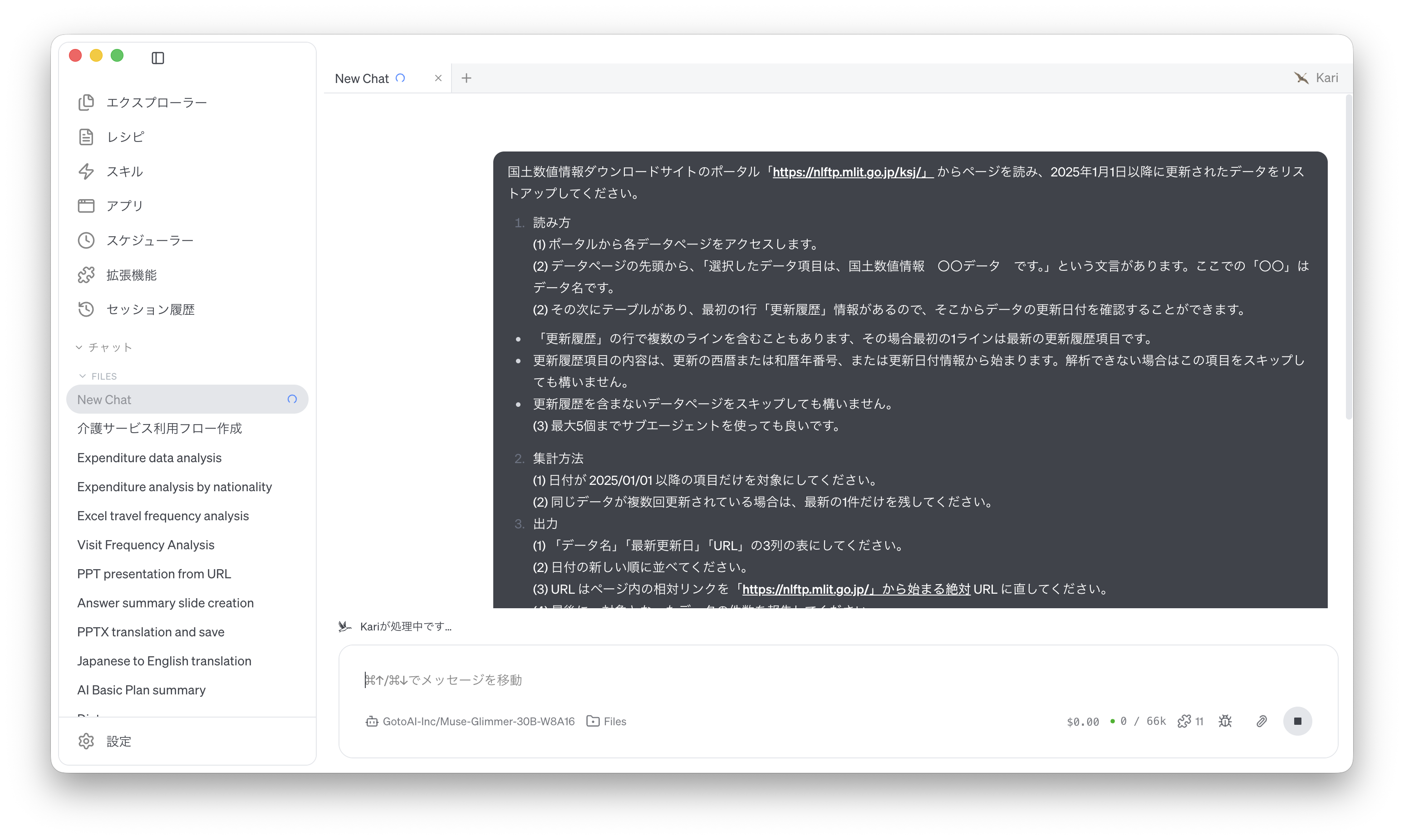
Screenshot shown in the original Japanese.
Check the AI's output
- The AI reads the pages and prints the matching datasets as a table in the session window. Check the number of items and the range of dates.
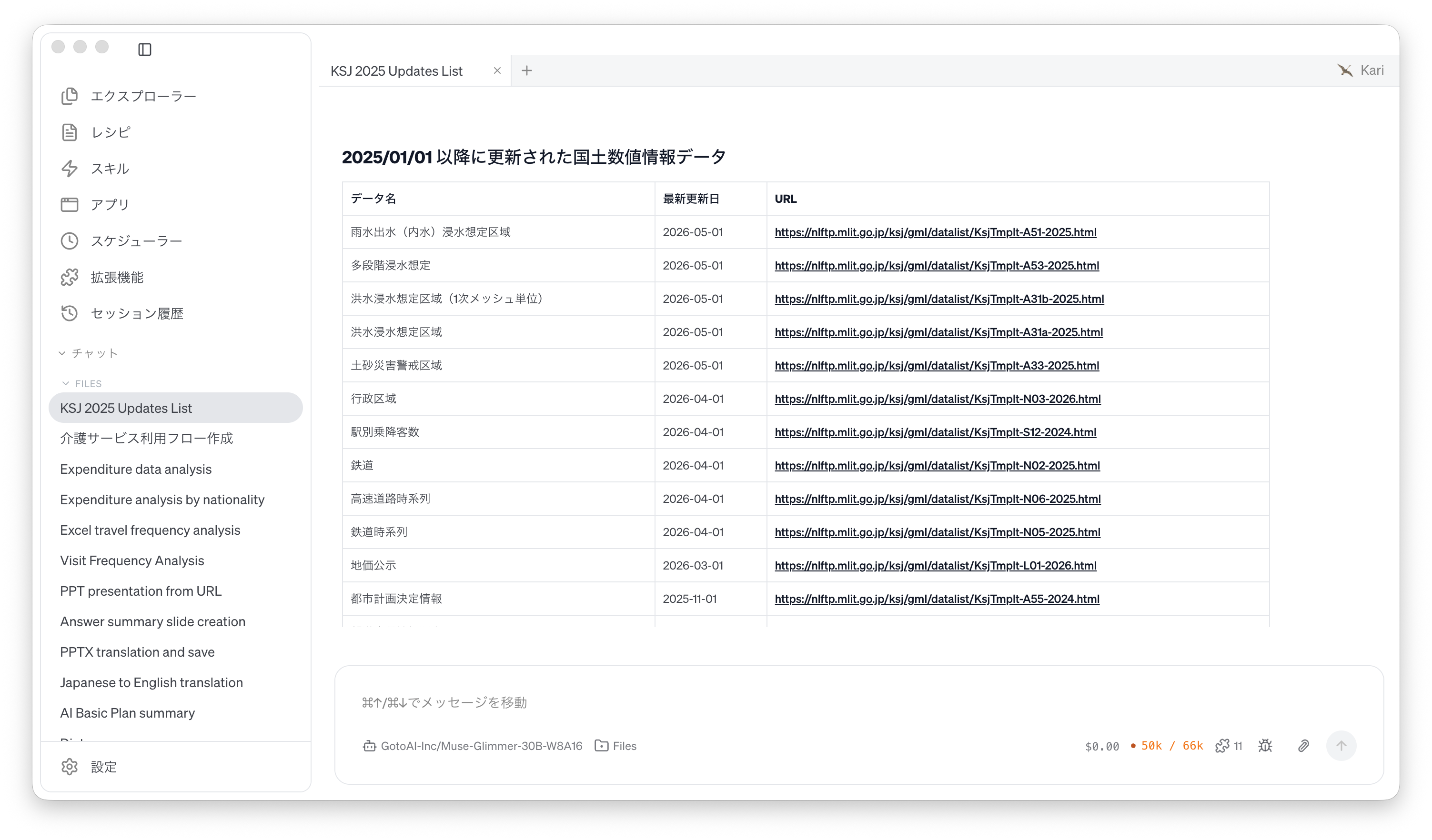
Screenshot shown in the original Japanese.
- Open a few of the URLs in the list and confirm that the dataset name and update history match the original page.
The accuracy of the reading and the formatting of the output vary with the LLM used. For a long list, check it against the original pages.
References
The steps on this page use the following public website for illustration. Screenshots are reproduced as quotations with the source stated. The list produced by the AI was generated by GotoAI as an example of Kari's operation; it was not created or published by the Ministry of Land, Infrastructure, Transport and Tourism.
- Material: National Land Numerical Information download site, top page and "What's new" (「新着情報」) page
- Provider: National Land Numerical Information download site, Ministry of Land, Infrastructure, Transport and Tourism
- URL: https://nlftp.mlit.go.jp/ksj/ (top page)
https://nlftp.mlit.go.jp/ksj_news.html (what's new) - Accessed: September 8, 2026
- Terms of use: Under the site's terms of use (https://nlftp.mlit.go.jp/ksj/other/agreement.html), the Public Data License (version 1.0) applies. Source: National Land Numerical Information download site, Ministry of Land, Infrastructure, Transport and Tourism (URL above).
- The external information quoted on this site is provided to illustrate examples of using Kari. This site does not guarantee the accuracy or currency of that information. Quoted sources may be changed or removed without notice.
- The AI output shown on this site was actually obtained in the stated verification environment. However, this site does not guarantee the accuracy or usefulness of that output. AI output varies with the LLM used, its settings, and from one run to the next.
- Before using AI output in your work, always check it against the original material and make your own judgement, at your own responsibility.
- Screenshots were taken with the version of Kari current at the time of writing. The display may differ in your version.
- The organizations quoted have no affiliation with, and do not endorse, this site or Kari.