Search content across many local files
Copyright © 2026GotoAI Inc.Based on the goose project
The steps on this page were verified in the following environment.
- Kari: version 0.5.0 Beta
- AI provider: standalone OumiGo (version 0.3.0)
- GPU: RTX A6000
- LLM: Meta Muse-Glimmer-30B (quantized by GotoAI, Hugging Face repository:
GotoAI-Inc/Muse-Glimmer-30B-W8A16)
With Kari, the AI can read the contents of a large number of files in a local folder and find and list the content that matches your conditions. This is a search by meaning, such as "sentences in which the speaker's emotion is intense", rather than by file name or keyword. To speed up the search, the AI uses several subagents.
Check the input
-
Open the GitHub repository of ROHAN4600, a mora-balanced Japanese text corpus. Either download it with "Download ZIP" under the "Code" button and unpack it, or copy it to a local folder with
git clone.
URL: https://github.com/mmorise/rohan4600 -
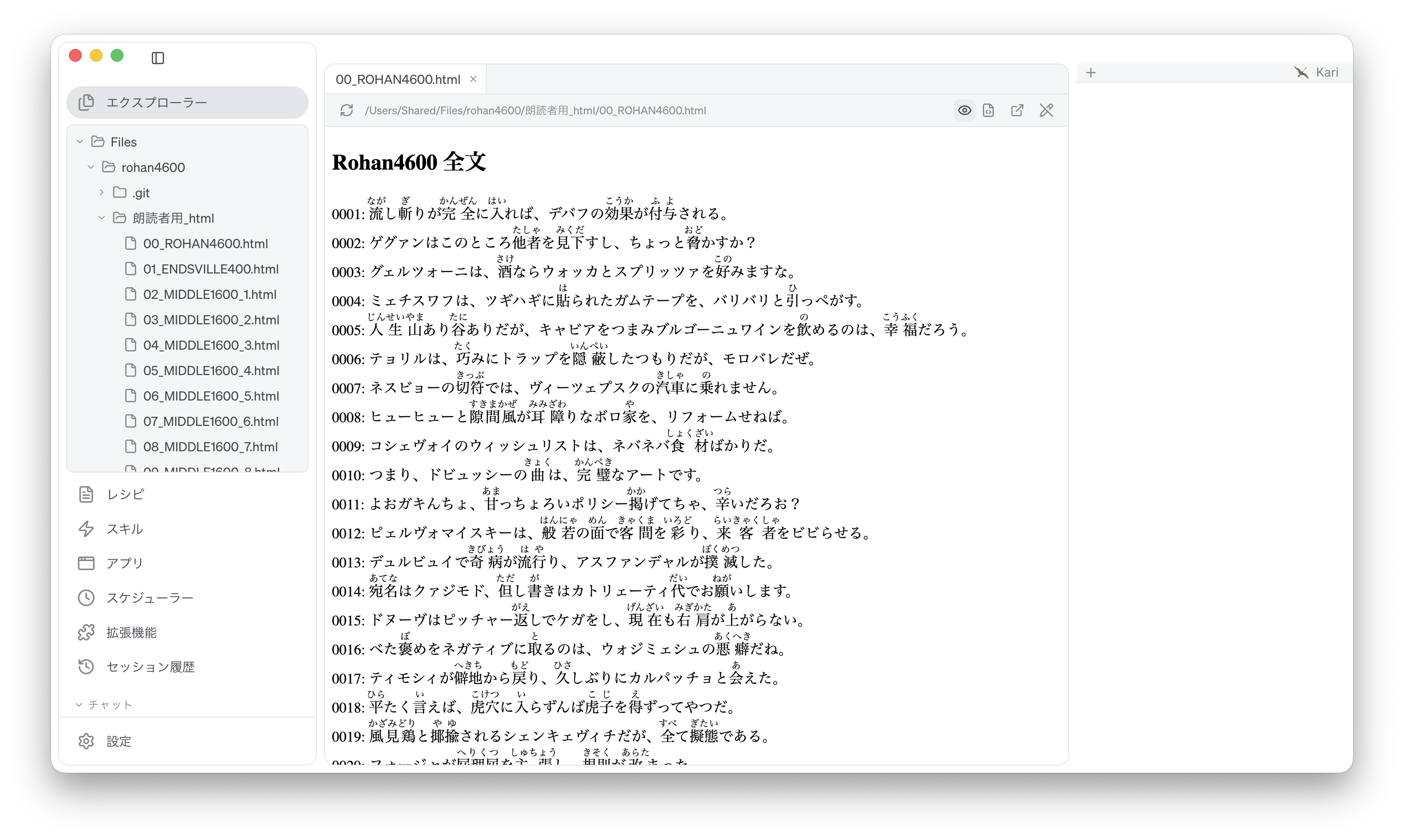
The repository holds the same 4,600 Japanese sentences in several formats. The steps on this page search the files in three of them: HTML, PDF and Word.
朗読者用_html: HTML朗読者用_PDF_h,朗読者用_PDF_v: PDF (horizontal and vertical text)朗読者用_Word_h,朗読者用_Word_v: Word (horizontal and vertical text)Rohan4600_transcript_utf8.txt: the full text
-
In Kari's Explorer, navigate to the unpacked folder
rohan4600, open it and look at its contents.
Screenshot shown in the original Japanese.
Instruct the AI
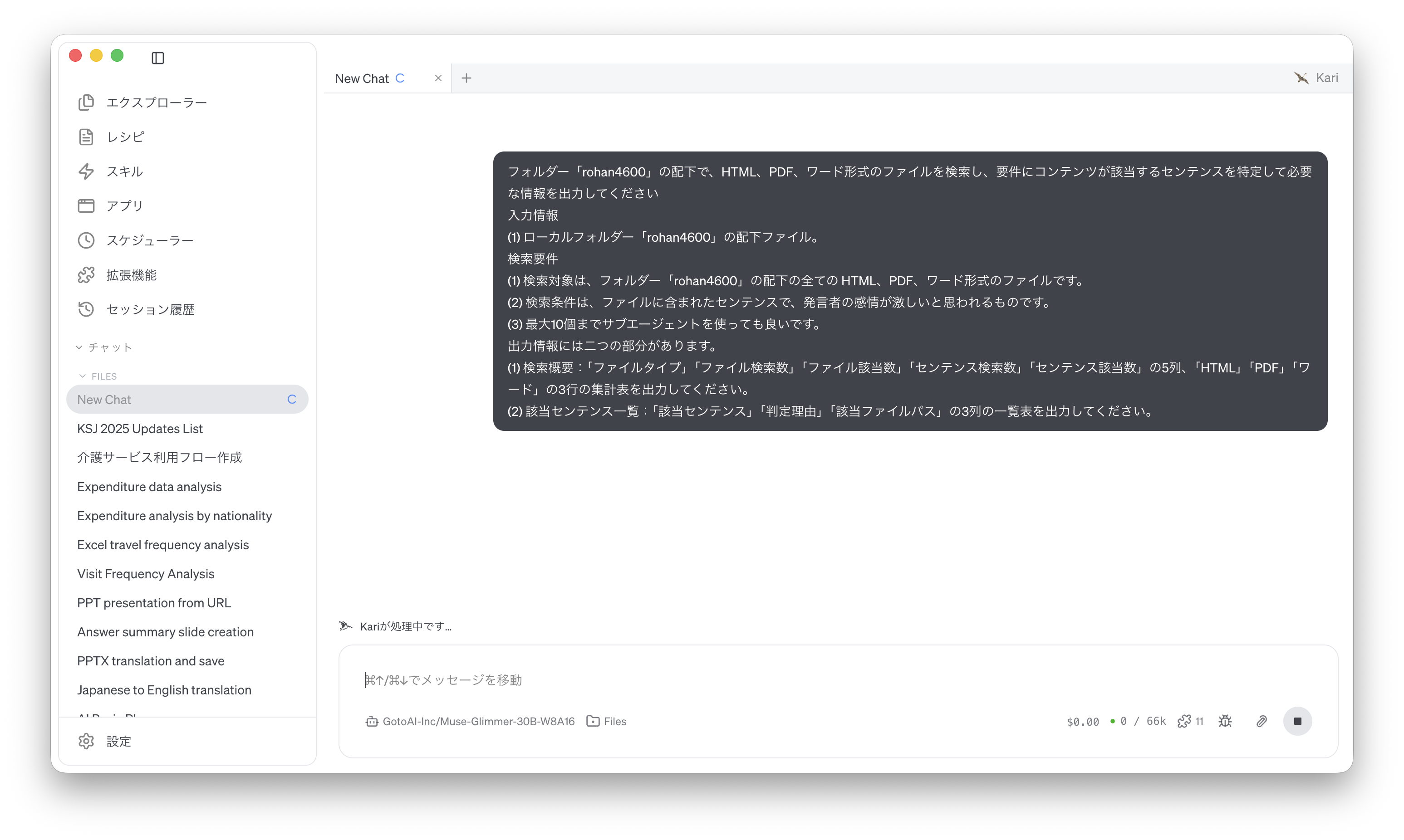
- We search for sentences in which the speaker's emotion seems intense. Instruct the AI as follows. The prompt below is an English rendering of the Japanese prompt shown in the screenshot.
Under the folder "rohan4600", search the HTML, PDF and Word files, identify the sentences whose content meets the requirement, and output the information requested.

1. Input
(1) The files under the local folder "rohan4600".

2. Search requirements
(1) The search covers all HTML, PDF and Word files under the folder "rohan4600".
(2) The search condition is: sentences in the files in which the speaker's emotion seems intense.
(3) You may use up to 10 subagents.

3. The output has two parts.
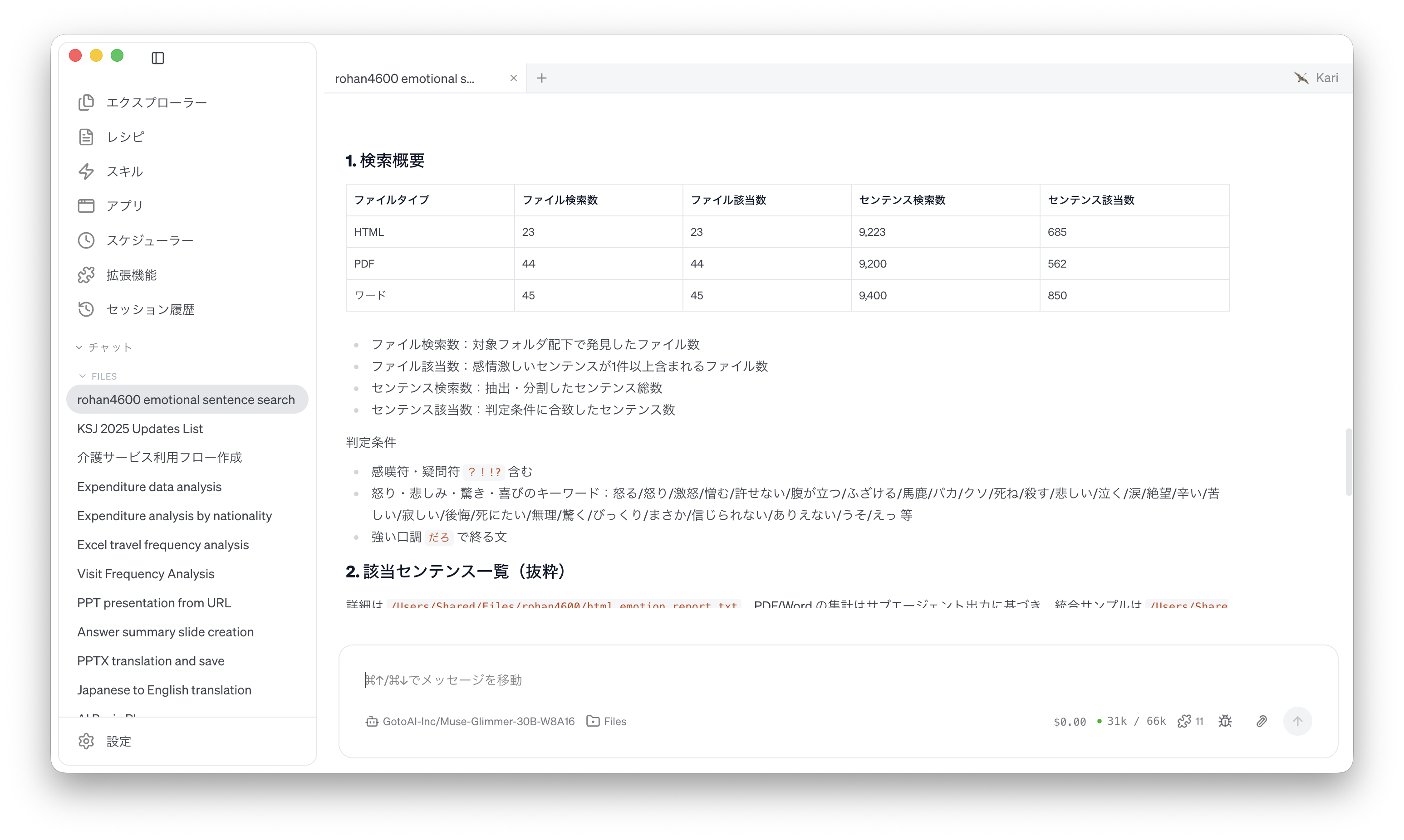
(1) Search summary: a table with five columns, "file type", "files searched", "files matched", "sentences searched" and "sentences matched", and three rows, "HTML", "PDF" and "Word".
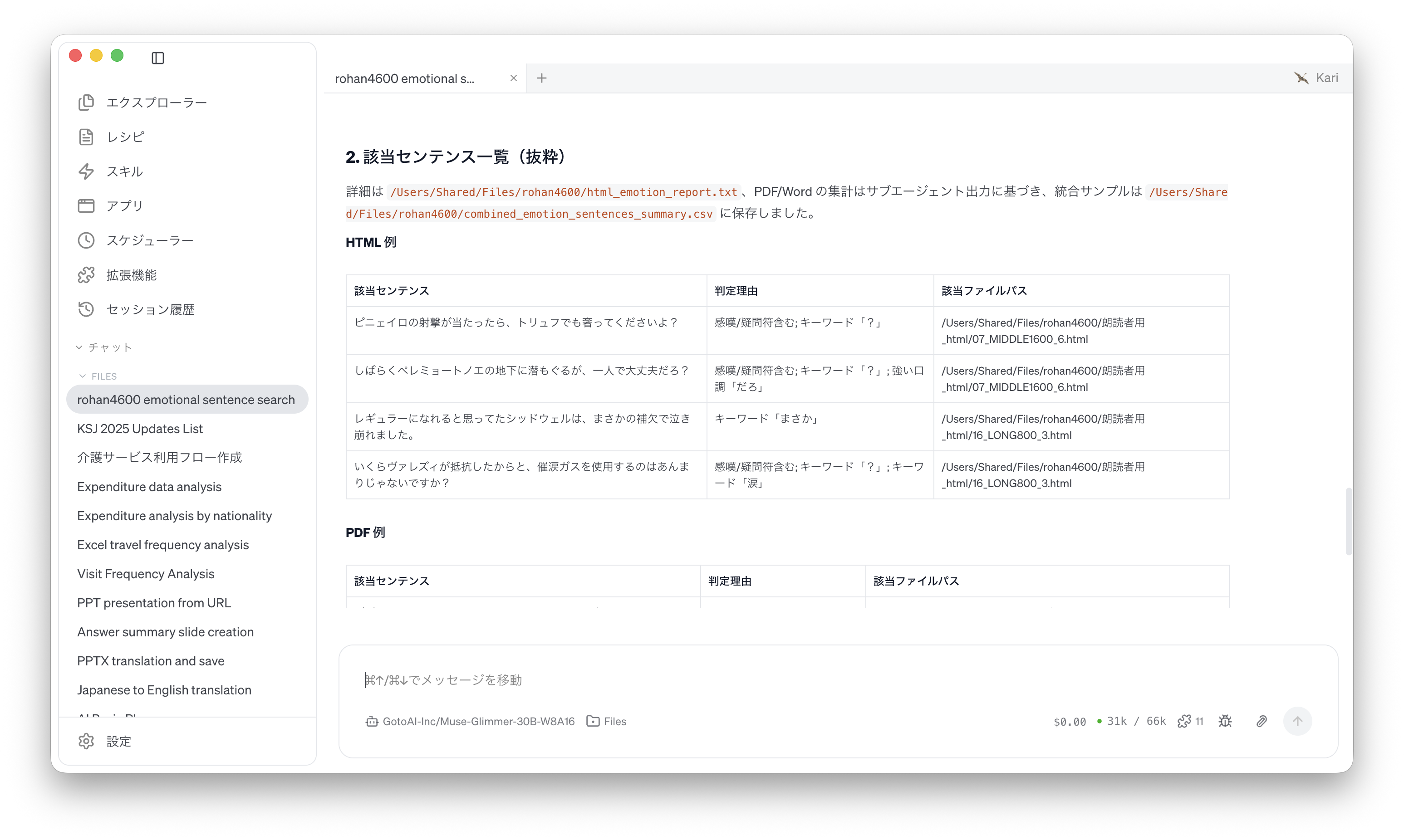
(2) List of matched sentences: a table with three columns, "matched sentence", "reason for the judgement" and "file path".
Screenshot shown in the original Japanese.
Check the AI's output
-
The AI reads the files under the folder format by format and judges each sentence against the requirement. With this many files the work takes some time; progress is shown in the session window.
-
When the work is done, the search summary table and the list of matched sentences appear in the session window. In the summary, first check that the number of files searched for each of the three formats matches the number of files in the folder, and that the number of sentences searched is roughly the same across formats.
Screenshot shown in the original Japanese.
Screenshot shown in the original Japanese.
- Pick a few file paths from the list, open those files from Kari's Explorer, and confirm that the matched sentence is really there and that the stated reason fits the sentence.
A judgement by meaning, such as "intense emotion", gives different results with different LLMs. The same sentence may be matched by one and not by another, so treat the counts as a guide and read the listed sentences directly for anything that matters. Also, with a large number of files, some LLMs read only part of them. Compare the number of files searched in the summary with the actual number of files.
References
The steps on this page use the following public corpus for illustration. The summary table and list produced by the AI were generated by GotoAI as examples of Kari's operation; they were not created or published by the corpus's author.
- Material: ROHAN4600 (ROHAN: a mora-balanced Japanese text corpus)
- Provider: Masanori Morise (GitHub repository
mmorise/rohan4600) - URL: https://github.com/mmorise/rohan4600
- Accessed: September 8, 2026
- Terms of use: CC0 1.0 (public domain). The repository's README asks that the following publication be cited when the corpus is used:
M. Morise: ROHAN: A mora-balanced Japanese text corpus for text-to-speech synthesis, The Journal of the Acoustical Society of Japan, vol. 79, no. 1, pp. 9-17, Jan. 2023.
- The external information quoted on this site is provided to illustrate examples of using Kari. This site does not guarantee the accuracy or currency of that information. Quoted sources may be changed or removed without notice.
- The AI output shown on this site was actually obtained in the stated verification environment. However, this site does not guarantee the accuracy or usefulness of that output. AI output varies with the LLM used, its settings, and from one run to the next.
- Before using AI output in your work, always check it against the original material and make your own judgement, at your own responsibility.
- Screenshots were taken with the version of Kari current at the time of writing. The display may differ in your version.
- The organizations quoted have no affiliation with, and do not endorse, this site or Kari.