MCP Servers
Copyright © 2026GotoAI Inc.Based on the goose project
An MCP server is how a desk agent reaches outside data and outside systems. Data sources specific to the work, internal systems, APIs published by public bodies — these are what it covers.
The division of labour with Skills is that an MCP server is a tool and a skill is a procedure. In Example 2 of this guide, the MCP server that fetches annual securities reports from EDINET (Financial Services Agency) is the tool, and what is written about how to read those reports and what to compare them with is the skill.
Choosing MCP servers for a desk
The MCP Servers topic in the settings window lists the MCP servers already configured in Kari, each with a switch, and nothing more. You cannot add a server or change where it connects from here.
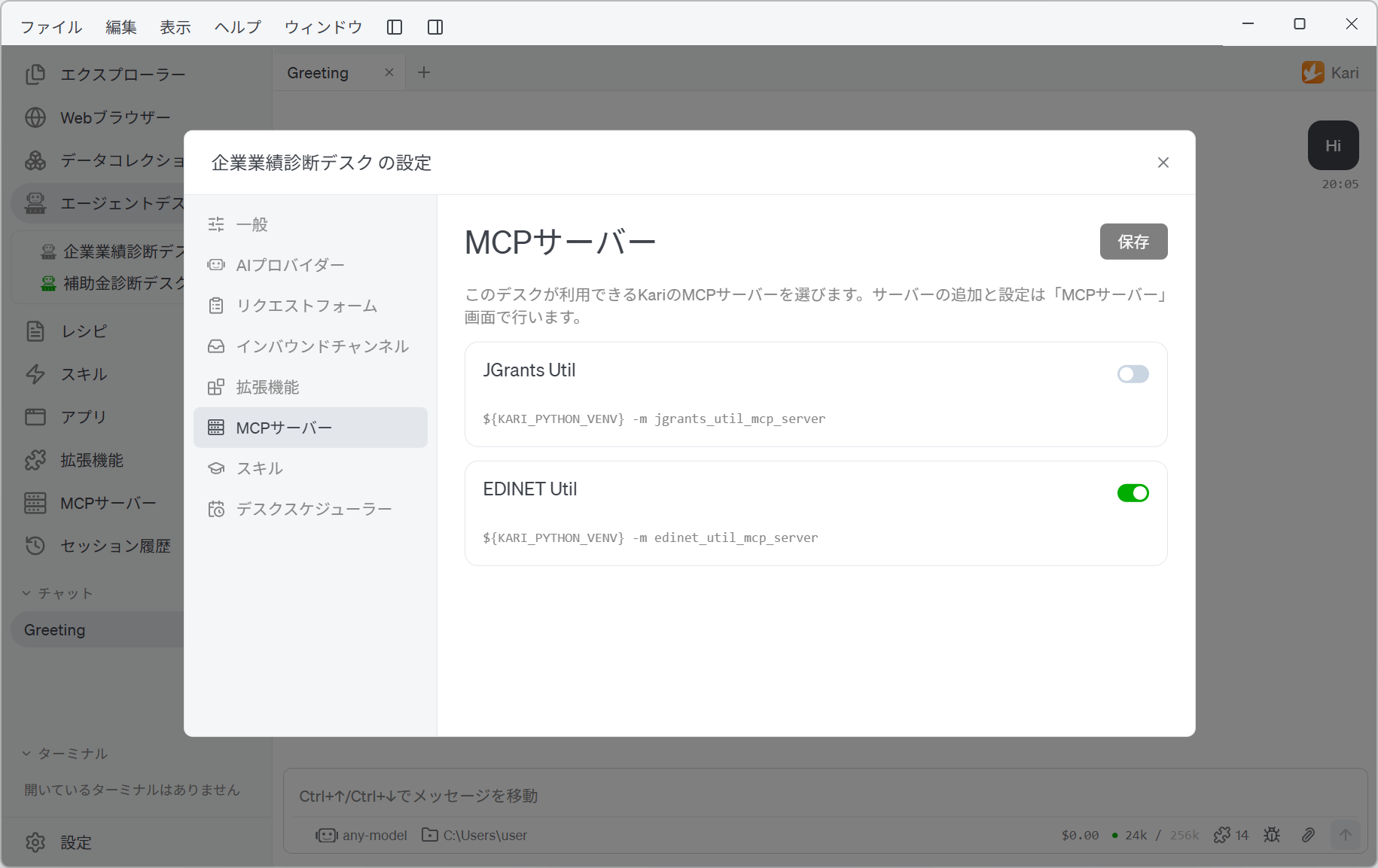
Servers are added and configured in Kari's own MCP Servers window. The desk side only decides which of them this desk may use.
If no MCP server has been configured in Kari, nothing appears on this screen. Add one from Kari's MCP Servers window and it becomes available to switch on here.
MCP servers are controlled per desk
The list also shows servers that are switched off in Kari itself. Whether a server is on or off is managed per desk, independently of Kari and of other desks.
When a desk you exported is imported on another computer, its MCP servers are carried over by name. If the receiving Kari has no server configured under that name, configure it in Kari's own MCP Servers window.
The servers used in this guide's examples
| Example | MCP server | What it does |
|---|---|---|
| Example 1: Subsidy diagnosis desk | The jGrants MCP server | Searching open subsidies and reading the application guidelines |
| Example 2: Corporate performance diagnosis desk | The EDINET MCP server (Financial Services Agency) | Listing filings and fetching the text of annual securities reports |
Both are Python packages installed into the Python environment bundled with Kari. Each example's pages cover how to set one up.
An API key or other credential an MCP server needs is, for security, registered by reference to a name and never written into the settings file. After an import, the key has to be entered again on the receiving side.