Setting up the MCP server
Copyright © 2026GotoAI Inc.Based on the goose project
To look up open subsidies, this desk uses an MCP server called JGrants Util. The desk settings record only the server's name, so the server itself is something you provide on the Kari side.
jGrants is Japan's portal for subsidies and grants from national and local government. This MCP server works against its public API, so there is no API key to register.
The JGrants Util MCP server is a standard Python package, developed and distributed free of charge by GotoAI Inc.
Package page on pypi.org: https://pypi.org/project/jgrants-util-mcp-server/
1. Add the MCP server to Kari
Open MCP Servers from the left navigation.
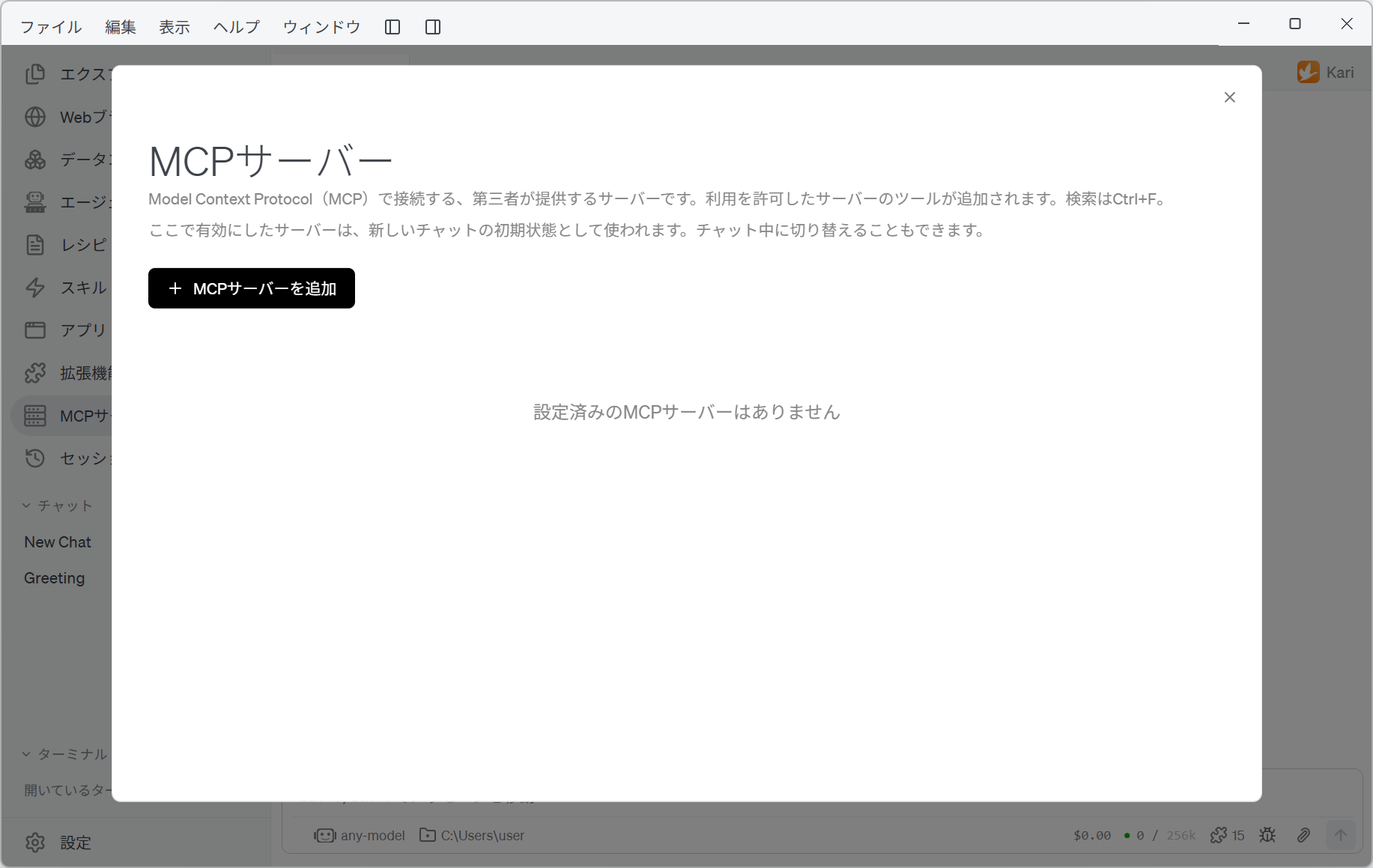
Click + Add MCP Server and fill in the following.
| Field | Value |
|---|---|
| MCP server name | JGrants-Util |
| Type | Python package (stdio) |
| Package | Choose pypi.org, then jgrants-util-mcp-server |
JGrants-UtilDesk settings match an MCP server by name. "JGrants Util", with a space, counts as a different name, and the desk will not see the server. Type it hyphenated, as JGrants-Util.
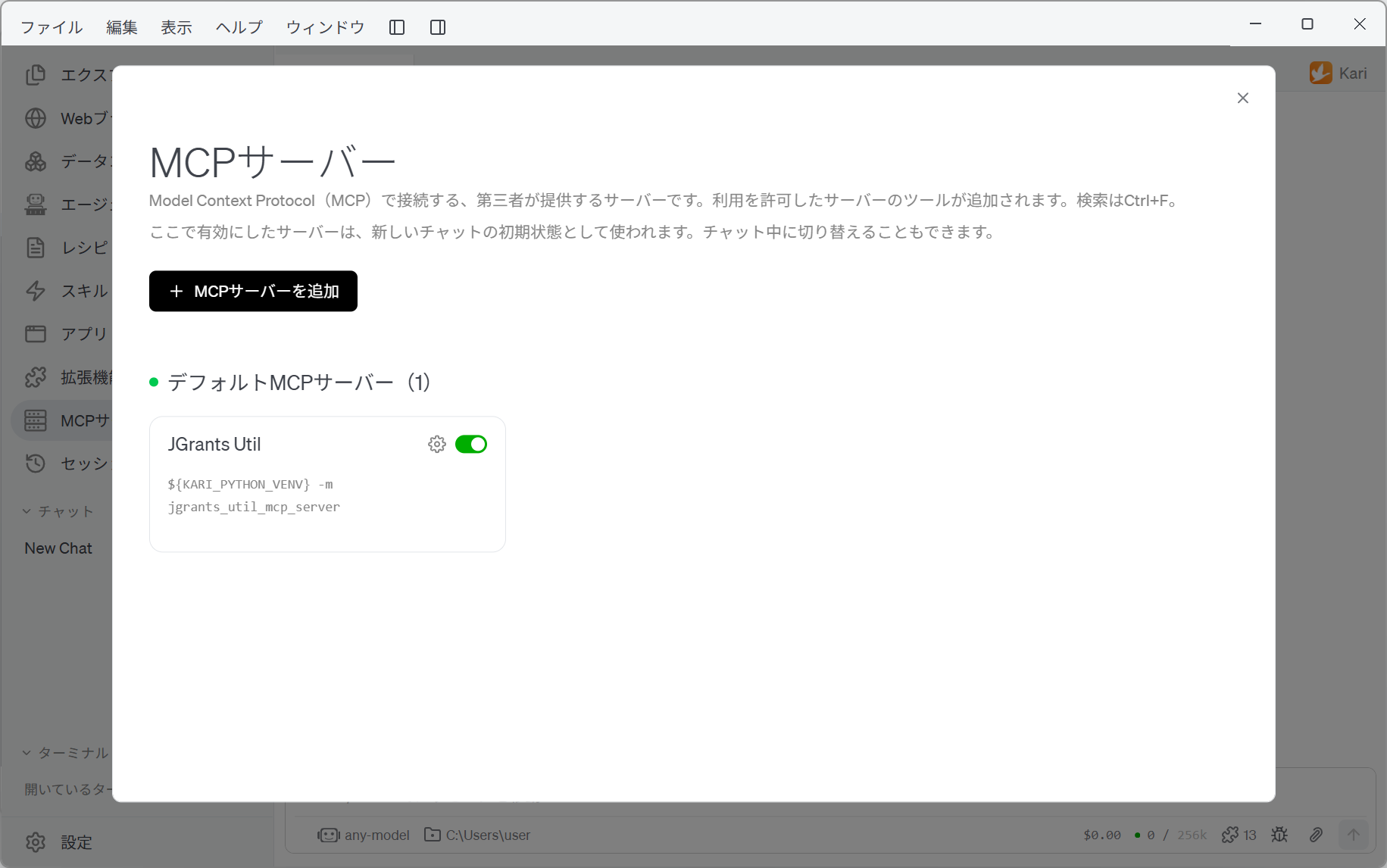
The list and the desk settings display it as "JGrants Util", but that is only Kari formatting it for display; the recorded name is still JGrants-Util.
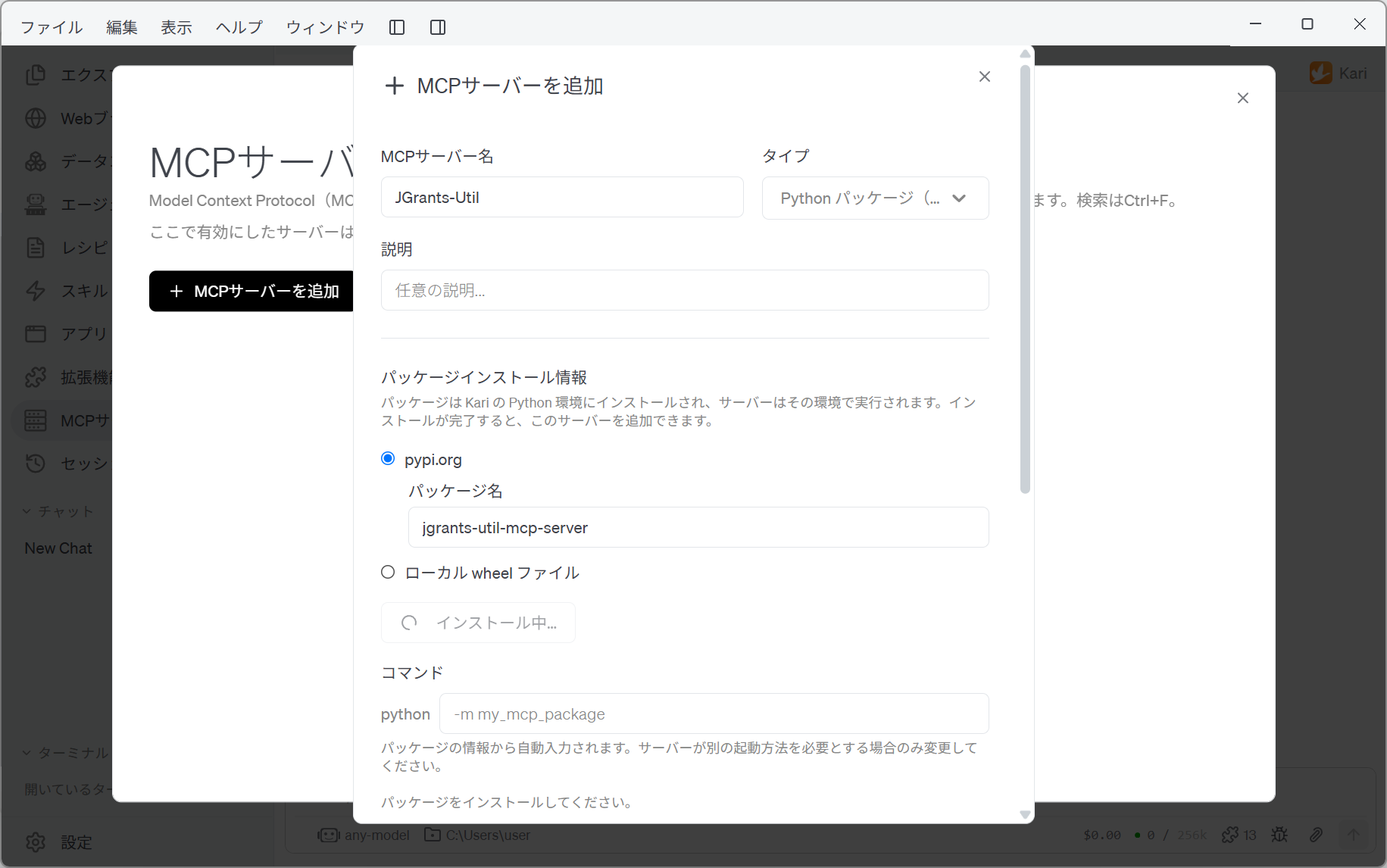
Enter the package name and click Install, and a confirmation dialog appears. Choose Install, and jgrants-util-mcp-server and its dependencies go into Kari's Python environment.
When the install finishes, the Command field is filled in from the package information (-m jgrants_util_mcp_server).
Confirm the server information
Register no environment variables. The server works against a public API, so there is no key to set. Leave the timeout at 300.
Click Re-check under Server information, and Kari starts the server and reads its details.
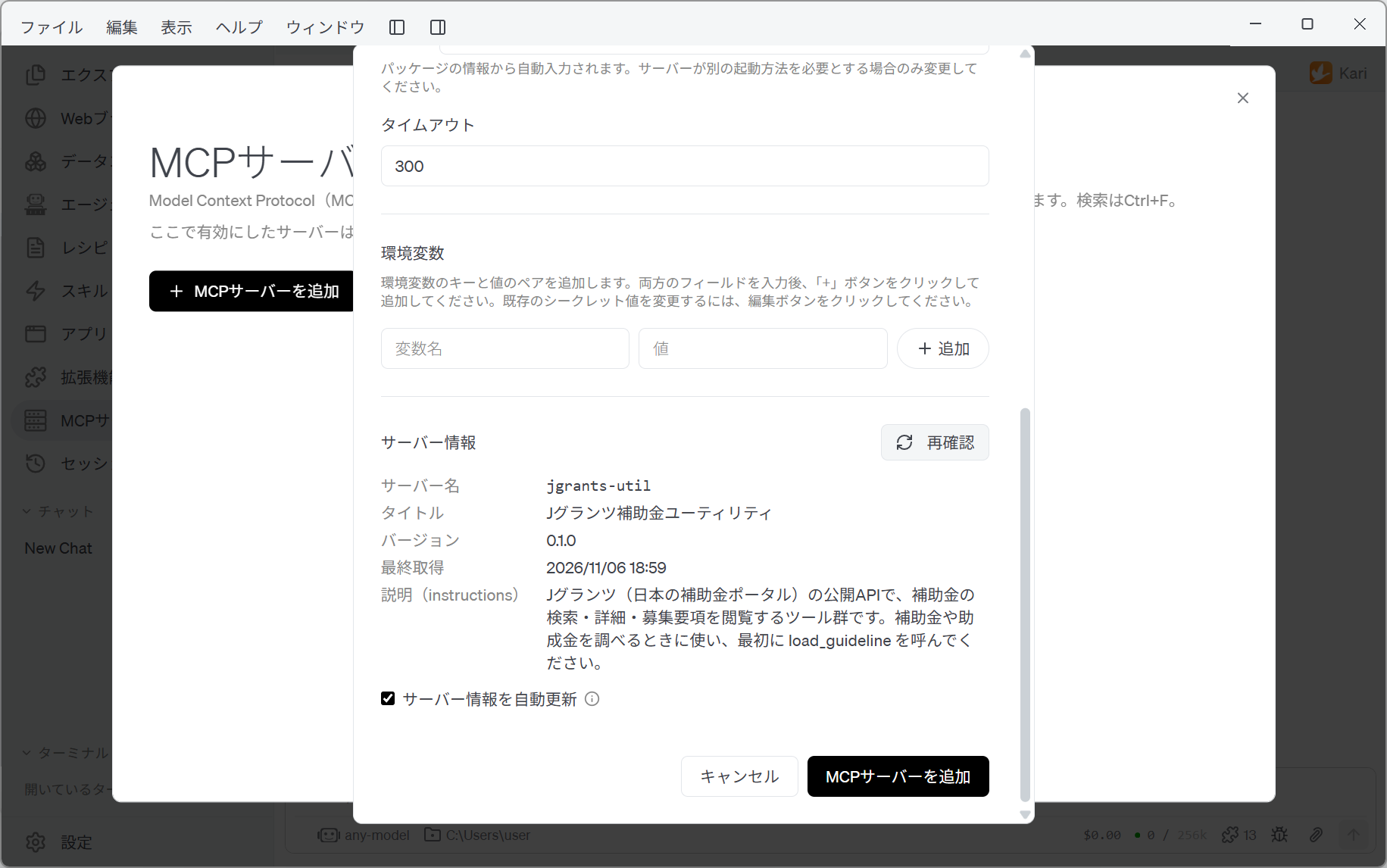
| Item | What is shown |
|---|---|
| Server name | jgrants-util |
| Title | Jグランツ補助金ユーティリティ (jGrants subsidy utility) |
| Instructions | A set of tools for searching subsidies, their details and their application guidelines through the public API of jGrants, Japan's subsidy portal… |
If this stays empty, something is wrong with the install or with the command. Do not go on; check what you entered.
Finally, click Add MCP Server. JGrants Util appears in the list.
2. Allow the desk to use it
Adding the MCP server to Kari is not enough on its own. Which desks may use it is decided per desk.
Right-click 「補助金診断デスク」, choose Settings…, and open MCP Servers. Confirm that the switch for JGrants Util is on.
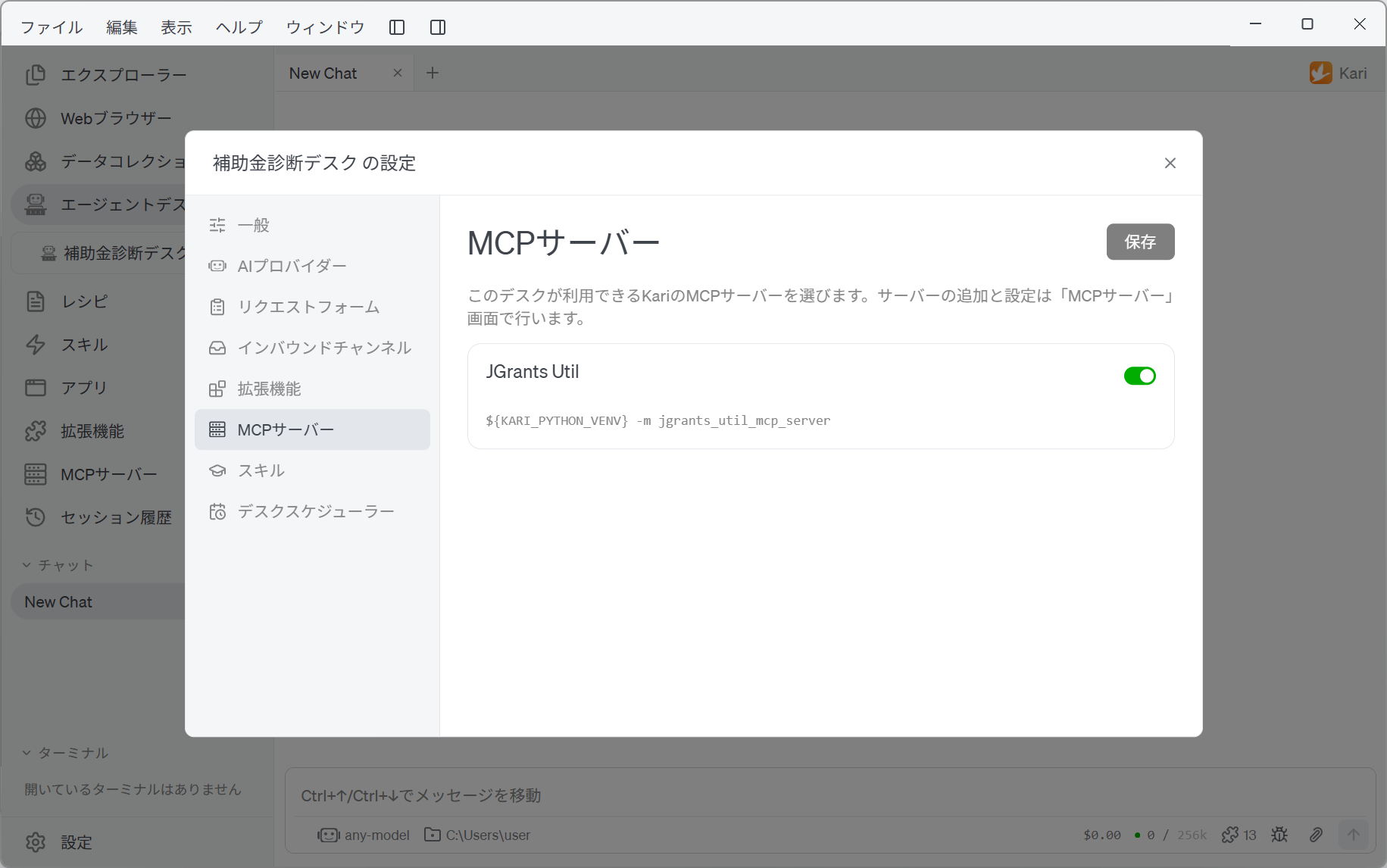
The imported settings record this server name, so if the names match, it is already on. If it is still off, check that the server name you entered in step 1 is JGrants-Util.
If you changed anything, click Save.
The tools this desk uses
The skill 「補助金診断スキル」 uses the following tools of this MCP server. How they are used is written in the skill, so there is nothing to configure.
| Tool | What it does |
|---|---|
search_subsidies | Searches open subsidies by keyword and region |
get_subsidy_detail | Fetches a subsidy's summary, rate, ceiling, period and official page |
read_attachment | Reads attached material such as the application guidelines |
Next, go on to Setting up email.