Checking the result
Copyright © 2026GotoAI Inc.Based on the goose project
Once a request is in, the administrator can watch the work in the Monitor Console, and the requester receives the finished diagnosis report by email.
Watch the desk work
Open http://localhost:28001 in a browser and the Monitor Console appears.
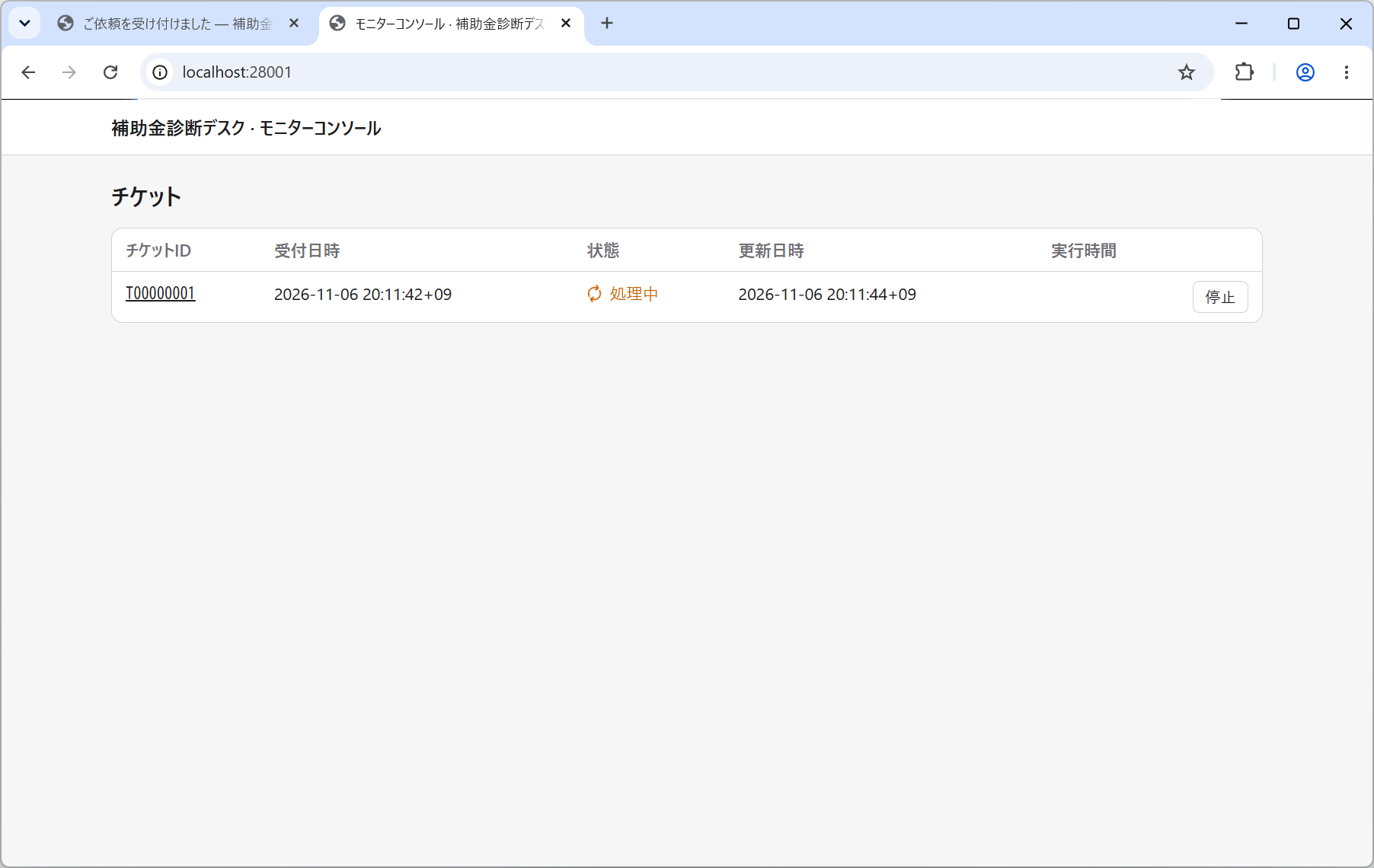
Accepted requests are listed as tickets. The page refreshes itself every five seconds.
| State | What it means |
|---|---|
| Received | Accepted, waiting its turn |
| Processing | An agent is working it |
| Done | Finished, and the deliverable has been sent |
| Failed | Could not be completed |
This desk has Parallel Jobs set to 1, so if you file two requests in a row the second waits as Received until the first is finished.
Look inside a ticket
Click a ticket ID and everything recorded about that request appears.
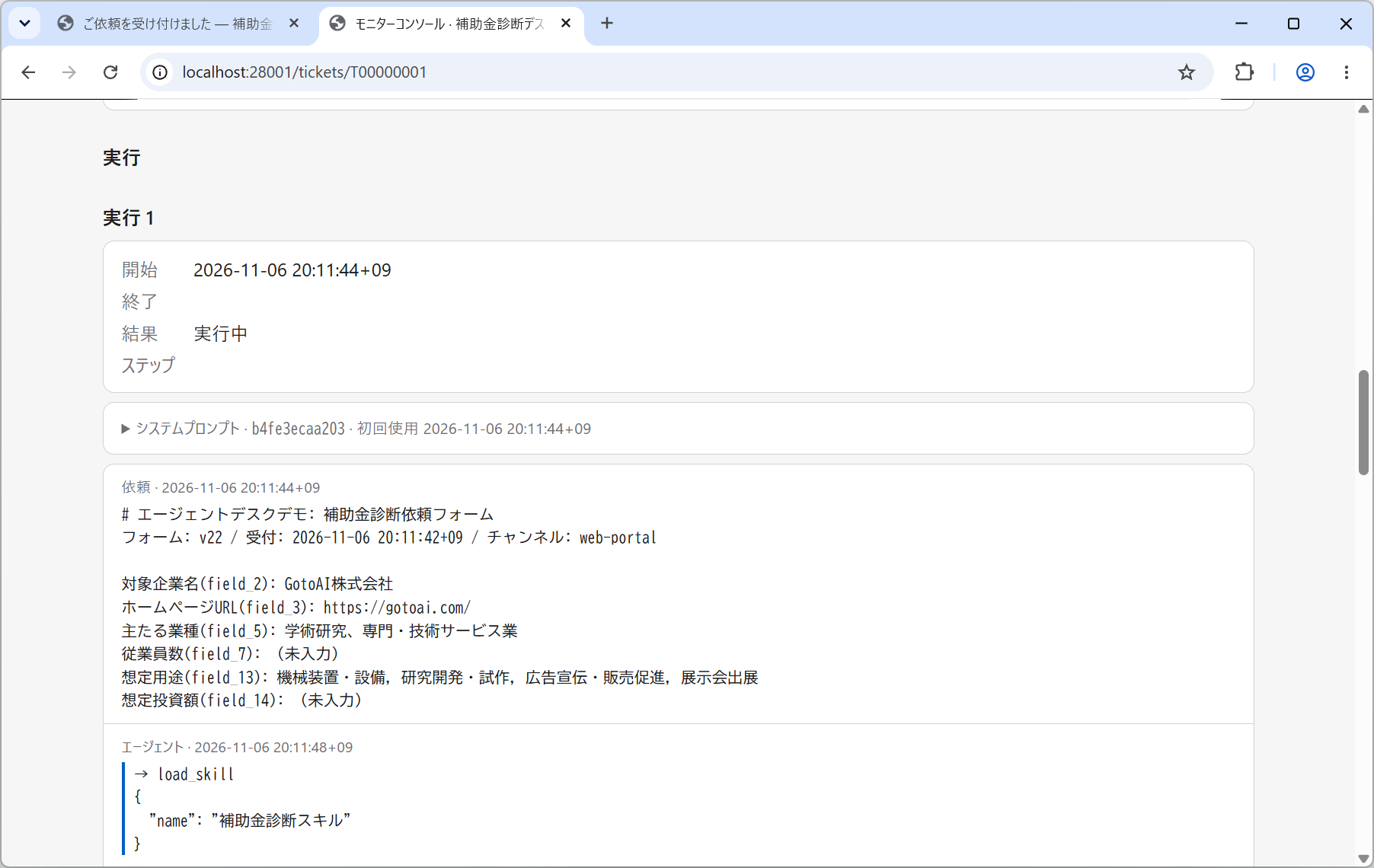
| Item | What it shows |
|---|---|
| Request | The values the form accepted, with the form version and the channel they arrived by (web-portal) |
| Runs | Started, finished, outcome, number of steps |
| System prompt | The full text of the instructions the agent was given on that run |
| The full transcript | The request, the agent's replies, tool results and its thinking |
Following the transcript shows what the desk is doing. For this desk it runs roughly in this order.
load_skillloads 「補助金診断スキル」web_fetchopens the company's homepage and reads on into the company profile and business pagessearch_subsidieson JGrants Util searches with terms built from the intended use, and by region (the prefecture and 「全国」 separately)- The field is narrowed to four to six candidates, and
get_subsidy_detailgives the rate, the ceiling and the period - For the two or three strongest,
read_attachmentreads the application guidelines to confirm who may apply, where the work must happen, the eligible costs and any restriction on combining subsidies build_report.pylays the report out as a PDF and saves it tooutbox/
Expect something like 30 to 40 tool calls in all.
Receive the diagnosis report
When the work is done the ticket becomes Done and a delivery notification goes to the requester's address. This desk has email attachments on, so the PDF is attached to the message. It can also be fetched from the link to the download portal.
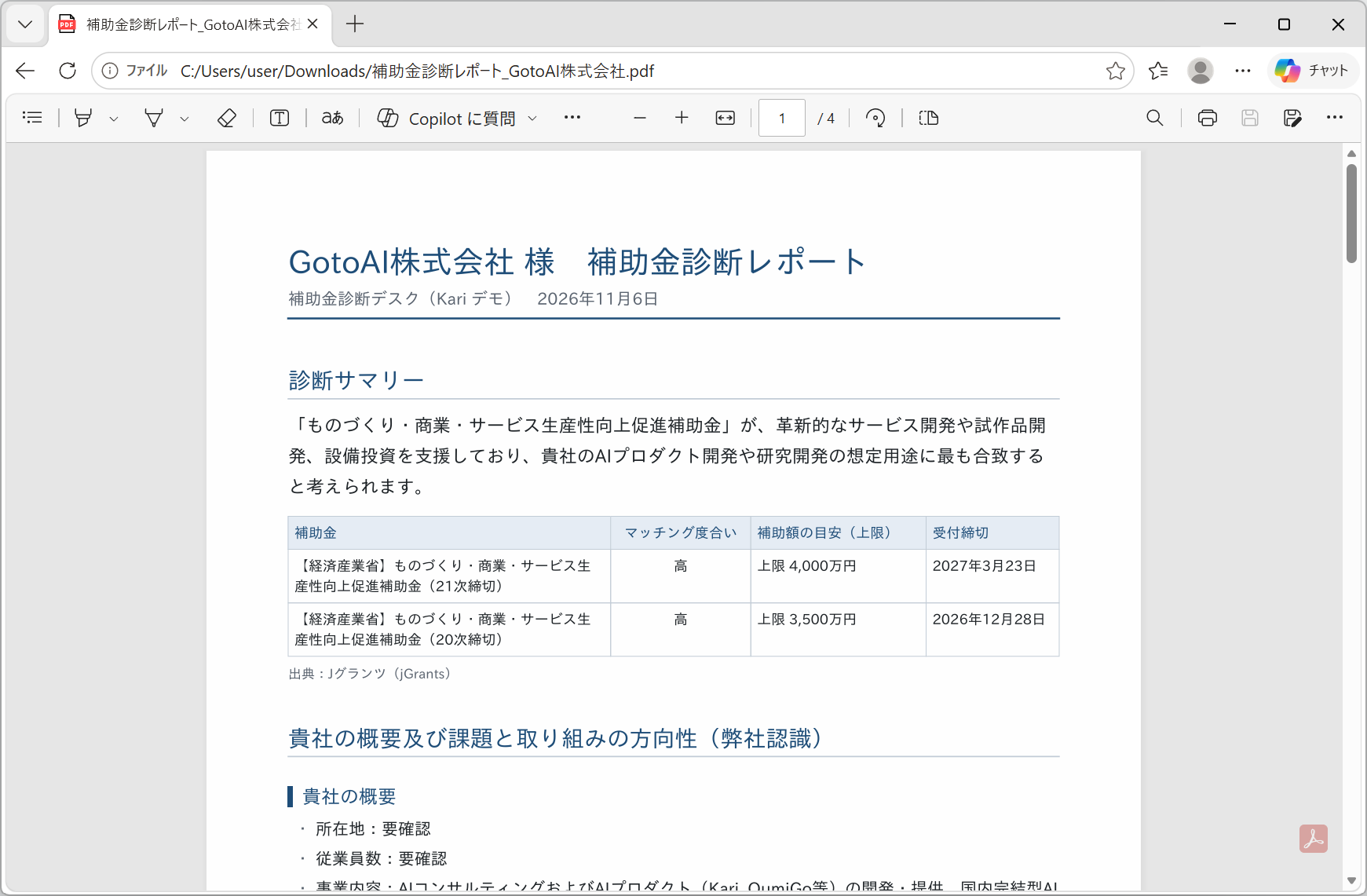
The report is laid out as follows.
| Section | What it holds |
|---|---|
| 診断サマリー — Summary | The conclusion, and a table of the candidate subsidies (subsidy / how well it matches / estimated amount (ceiling) / deadline) |
| 貴社の概要及び課題と取り組みの方向性(弊社認識) — Your company, its challenges and direction | Location, headcount, line of business and so on, with where the challenges and the direction appear to lie. Each item shows where it was read from (a homepage URL, or the form) |
| 候補の補助金 — Candidate subsidies | One page each: summary, rate, ceiling, deadline, the eligibility assessment (meets it / to be checked), eligible costs, restrictions on combining, and the schedule |
| 次にすること — What to do next | The steps towards applying, such as obtaining a GビズID |
| 検討から外したもの — Ruled out | The subsidies that were dropped, and why |
| 出典・ご留意事項 — Sources and notices | The jGrants attribution, and that this is not an application service |
If nothing fits, the desk does not force a candidate: zero is an acceptable answer. In that case the report says why nothing was found and what to try next.
The link to the download portal stops working 24 hours after delivery: the files are deleted and the link says so. A copy attached to an email is not covered by that retention.
What to check (the human-in-the-loop points)
A desk is a tool for carrying the work up to the point where a person decides. Check the following before using the report.
| What to check | Where to look |
|---|---|
| That the company information is right | 「貴社の概要及び課題と取り組みの方向性」. Whether what was read from the homepage matches reality, and whether anything out of date has crept in |
| That nothing is left "to be checked" | The eligibility assessment on each candidate. 「要確認」 marks something the desk could not confirm. Do not carry on preparing an application while those are still open |
| That the deadline has not passed | The deadline on each candidate. Published calls change from day to day |
| The official page | The URL on each candidate. Always confirm against the application guidelines and the official page before applying |
This diagnosis is a search of published information for subsidies a company might apply for. Whether a company is eligible is decided by each subsidy's administering office, and nothing here guarantees that an application will succeed. It is also not an application service or the work of a licensed administrative scrivener.
When something goes wrong
| Symptom | Where to look |
|---|---|
| A ticket comes out Failed | In the ticket detail, read the run's outcome and the end of the transcript. If a JGrants Util tool call is erroring, check the MCP server setup (Setting up the MCP server) |
| The company profile is all "to be checked" | The homepage may not have been read. Check that the URL points at a company profile page, and that the Web Fetch and Python extensions are on |
| No candidates at all | With no intended use chosen, the search terms cannot be narrowed and candidates are hard to find. Choose an intended use on the form and try again |
| No verification code or report arrives | Use Send a Test in Setting up email to prove the sending account works |
The ticket detail keeps everything the desk thought and called at the time. It is usually where the fix becomes obvious. If it failed for want of information, look at the request form; if it lacked a tool, look at the MCP servers and skills.
After making a change, Re-run a failed ticket and you can see how the result changes for the same request. A re-run is processed like any other ticket, so once it is done the requester receives the delivery notification. If you do not want that, stop the ticket in the Monitor Console before the processing finishes.
What to read next
The other example, Example 2: Corporate performance diagnosis desk, combines an MCP server with a skill that carries reference data, to build a desk that works with figures.